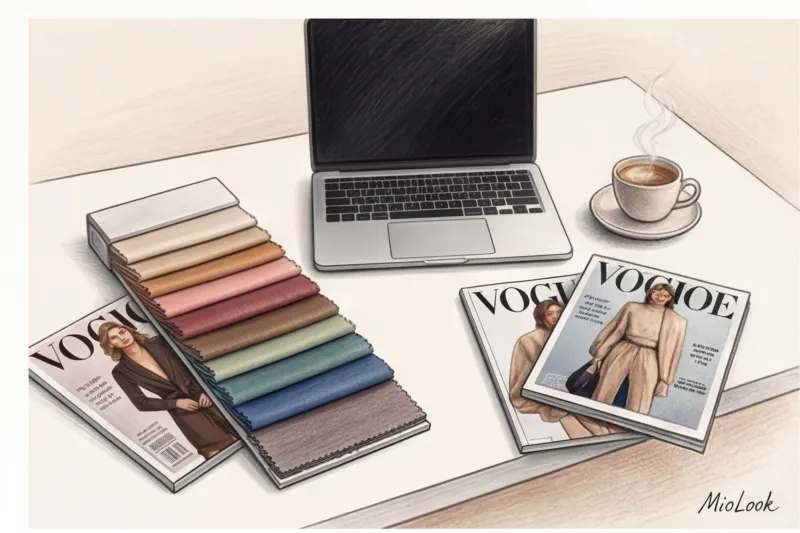
The Evolution of the Profession: Why Are Specialized Apps Needed for Stylists?
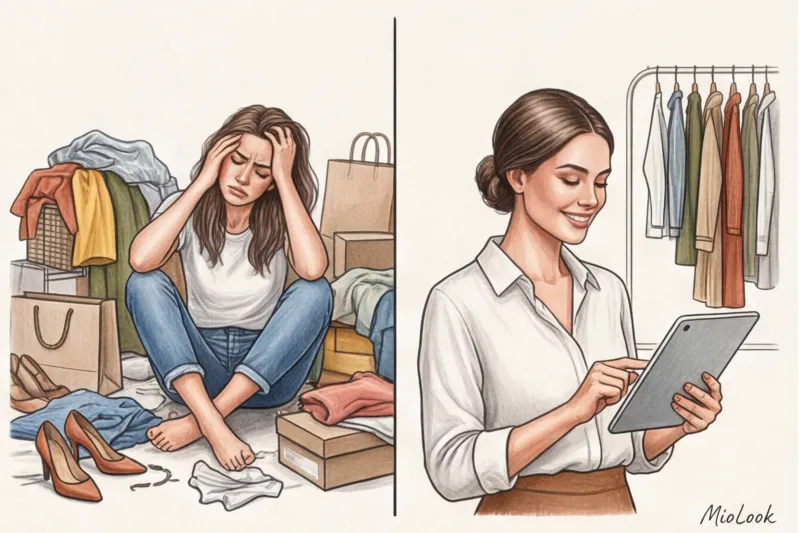
Do you remember the days when a stylist's work was measured by the number of heavy mass-market shopping bags we physically lugged around huge shopping malls? Today, that image is hopelessly outdated. Just a few years ago, our value was determined by how quickly we could zip through boutiques and find the right size for a client. Now, a fundamental transformation has occurred in the profession: from simple "shoppers with bags," we have evolved into true personal style architects.
We no longer just buy clothes; we design our wardrobes as intelligent visual systems. And the main catalyst for this shift has been professional apps for stylists , without which it is impossible to imagine a competitive and scalable service today.
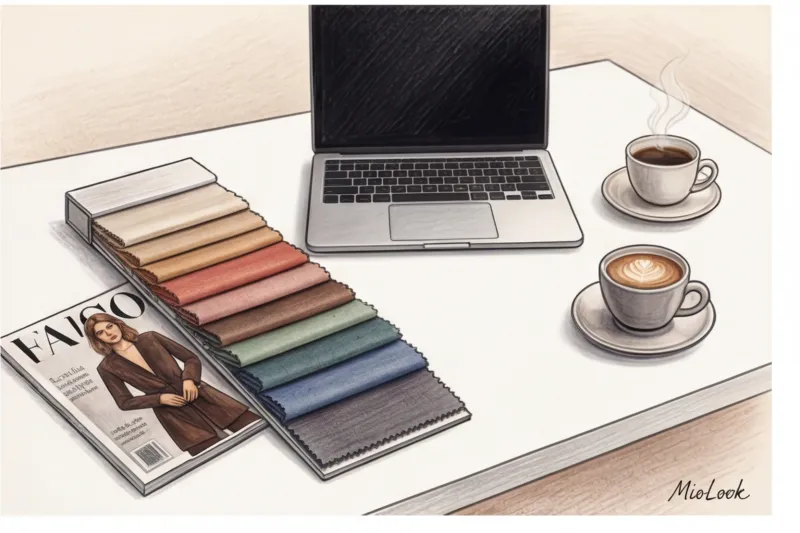
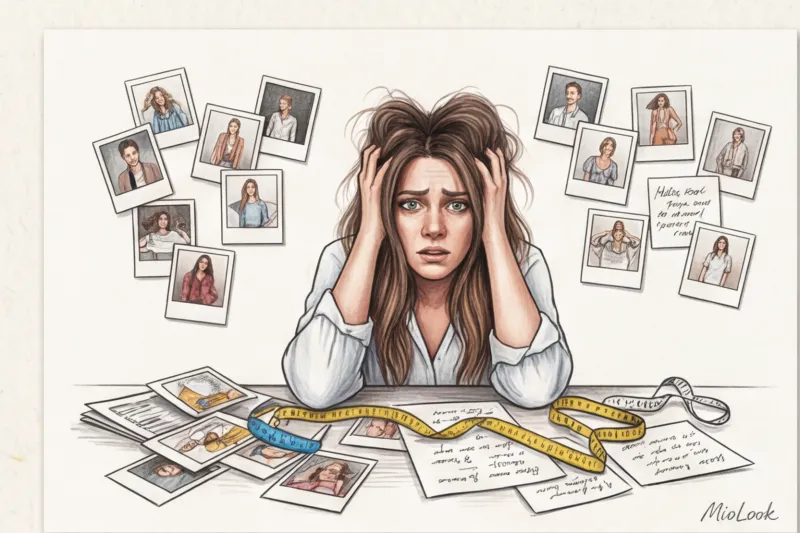
However, my personal transition to online shopping was far from smooth. When I first tried to scale up my consultations and move wardrobe reviews to a digital format, I was faced with a harsh reality. The biggest pains of online styling hit me within the first month: my workflow devolved into endless messaging chaos. I'd send clients dozens of links to items on WhatsApp, and a couple of days later, the nightmare would begin. Clients would write, "Darina, I'm confused. Does this skirt go with that top from message number 10 or message number 2?" and half the links would simply expire by the time they were actually purchased because the items were out of stock.
As a certified color analyst, I was particularly sensitive to the technical limitations of gadgets. Distorted color rendition is a real scourge of remote stylist work. The white balance on a phone camera, system filters (for example, True Tone on an iPhone), and different sensor calibrations led to fatal errors. I'd select the perfect cool ruby shade, but the client's old monitor turned it into a warm tomato. As a result, the client genuinely couldn't understand why I was offering her a color that completely clashed with her contrast ratio. Incidentally, I discussed in detail how critical even the slightest change in undertone is and how it affects one's perception of status in my article about the psychology of the influence of colors in office wardrobe.
It became clear: building a premium service on the fly was impossible. The solution was to integrate specialized software. Automating routine tasks—from generating mood boards to creating clickable lookbooks in one click—isn't just a matter of aesthetics; it's a matter of pure business mathematics. Based on my experience and user analytics, MioLook , the right system allows a stylist to take on 3 times more clients without losing quality.
Let's do the math: while manually removing backgrounds from photos and layout a presentation used to take up to 15 hours per person, algorithms now do it in minutes. When routine automation takes over mechanical work, you free up resources for in-depth analytics. You can manage 12 clients a month as easily as you used to manage 4, and your revenue grows because clients are paying for a convenient interactive solution, not a bunch of broken links.
Stage 1: Survey and visual client onboarding
Have you ever noticed that the first online meeting with a client often feels like a dry interrogation? We send a long link to a questionnaire, and the client is left alone with a list of forty questions about their hips, waist, and budget. This is the worst thing you can do at the start.
Let's be honest: standard Google Forms kill the magic of a premium service before it even starts. When a client pays €300 or €500 for a personal style creation, they don't want to fill out a monotonous spreadsheet that looks like a safety test. Moreover, text-based questionnaires without visual support always paint a distorted picture. I've seen this situation hundreds of times: a client writes, "I love classics and a basic wardrobe." For me, as a stylist, that means a tailored trench coat, straight trousers, and a structured bag. For her, "basics" are her favorite oversized hoodie, leggings, and New Balance sneakers. Text is too subjective.
Therefore, the first step in modern digital styling is the transition to interactive briefs. To collect parameters, analyze lifestyle, and identify personality types, I use tools with logical branching (for example, Typeform) or survey modules built into professional apps for stylists If a client notes that she works in the IT industry without a strict dress code, the smart questionnaire automatically skips the section with questions about three-piece business suits. Instead of a boring list of life spheres, I ask them to fill out an interactive pie chart of their time allocation. But the most important thing in such a brief is visual A/B testing. I show two polar images and ask them to choose one. Only in this way can we assess the real, rather than the stated, level of readiness for fashion experiments and bright colors.
And here we come to the main pitfall of online work: trying to delegate the search for inspiration to the client. Early in my career, I made this classic mistake: asking women to create a public Pinterest board with images they liked.
My personal insight, confirmed by years of practice: clients rarely objectively assess their physical characteristics, and open Pinterest is dangerous for them. They save images of Hailey Bieber or Rosie Huntington-Whiteley en masse, completely ignoring the fact that these clothes are tailored for a 5'8" height and a dramatic figure. A woman who is 5'8" and has a pear-shaped body type brings references of 2000s-style low-waisted dresses and extreme crop tops. When we try to replicate this in real life, taking her proportions into account, we are bitterly disappointed. The clothes fit differently.
That's why professionals are moving away from open boards to a "controlled selection" method. The essence of this method is simple: you don't send the client off to navigate the whims of social media algorithms. You offer them a closed gallery of 30-50 pre-selected looks that already physically suit their body type, coloring, and lifestyle. The client chooses from what they know will work for them. This approach instantly sets realistic expectations and protects the stylist from making edits like, "That oversized jacket looked more elegant in that picture."
Tools for creating mood boards and concepts
Once the initial data and the results of the "controlled selection" are collected, the visualization stage begins. To organize references and agree on a style vector without confusion, we need dedicated workspaces, not chaotic messaging.
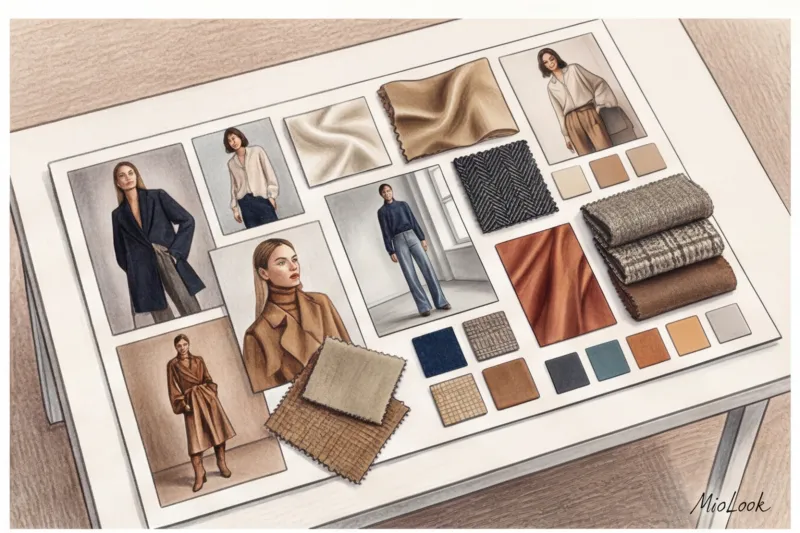
Disjointed collages have been replaced by visual collaboration platforms. Many use universal "whiteboards" like Miro or Milanote. On these canvases, we display a custom palette, macro shots of textures (showing the difference between silk and viscose), key silhouettes, and fit examples. A huge advantage of these spaces is that clients can leave targeted comments directly on a specific photo: "This shade of green is too bright," "I really like the cut of these pants."
However, if you want to build a truly seamless process, it's worth using specialized software. For example, MioLook platform capabilities They allow you to not only collect abstract images to set the mood, but also immediately connect the visual concept to real objects. You build a transparent bridge between the dream ("I want an old-money aesthetic") and reality—specific brand SKUs and items already hanging in the customer's closet. The more structure and visual control you provide during the onboarding process, the fewer doubts and abandonments you'll have in the final product.
Digitize your customer service
Try MioLook for free: A smart AI stylist will help you find the perfect look, organize your wardrobe, and simplify the creation of visual concepts.
Get access — €0.99 onceStage 2: Virtual wardrobe audit and digitization
According to statistics we collected as part of our professional community in 2023, about 40% of time spent online wardrobe review is spent not on styling, but on trying to decipher blurry photos. Every practicing professional's worst nightmare is a black turtleneck photographed in the evening on a leopard-print bedspread under the yellow light of a chandelier. As a certified colorist, I always warn my colleagues: smartphone camera sensors irreversibly distort white balance under artificial lighting. Cool graphite shades turn into warm brown, and silk looks like cheap polyester. You end up putting together a perfect capsule wardrobe for a client, but in reality, the clothes clash critically in terms of temperature and texture.
To avoid spending hours lifting shadows and correcting color in editors, it's important to address the problem before it arises—on the client's end. A proper briefing will save you time and stress and improve the quality of the final lookbook. Below is a ready-made mini-guide that you can copy and send to your clients for effective product photography:
Client Guide: Wardrobe Shoot Rules
- Light (Critical!): Shoot exclusively during daylight hours, placing the item near a window. Turn off overhead lights and floor lamps—they add a yellow or blue tint, distorting the actual color by 2-3 tones.
- Background: Lay the garment out on the lightest, most matte, and most uniform surface possible. A clean, light-colored laminate, a large white sheet, or a piece of poster board are ideal. A contrasting background is vital to ensure the algorithms cut the garment smoothly and without jagged edges.
- Angle: Hold the camera strictly parallel to the garment (flat lay). Shooting at an angle distorts the proportions: trousers will appear cropped, and the shoulder line of the jacket will appear unnaturally massive.
- Details: Clothing should be neatly straightened, buttons fastened, and sleeves unrolled. Remove shoes in profile, and bags from the front, placing them on a hard surface.
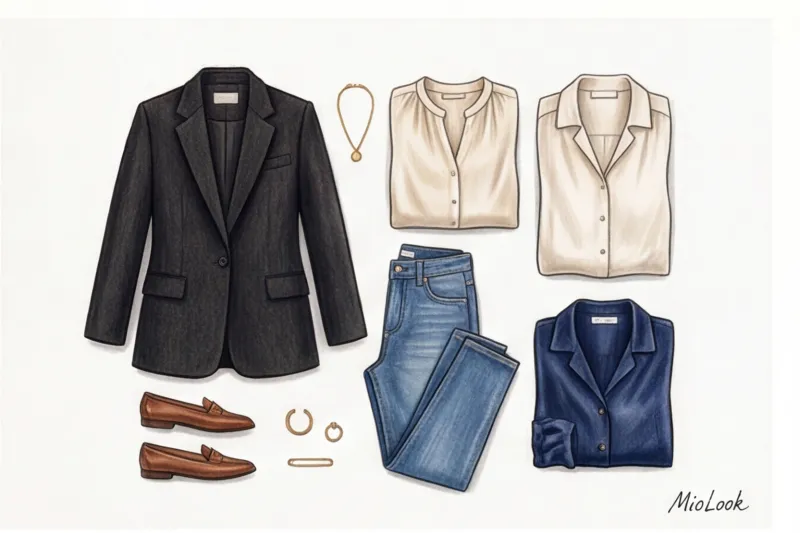
When the client sends the source footage shot according to these instructions, the technical magic begins. Gone are the days when stylists sat with the Magic Wand tool in Photoshop, meticulously clipping each collar. Today, modern apps for stylists They take on this chore themselves. For quick processing, they often use services like PhotoRoom or Remove.bg. They do a great job of removing backgrounds, but this approach has a significant drawback. If you're working with the premium segment, clients are very sensitive to visuals. An unevenly cut edge on an €800 cashmere sweater visually cheapens it to the point of being mass-market. Furthermore, constantly transferring hundreds of PNG files from a background remover to a folder and from there to a graphics editor is a sure path to professional burnout.
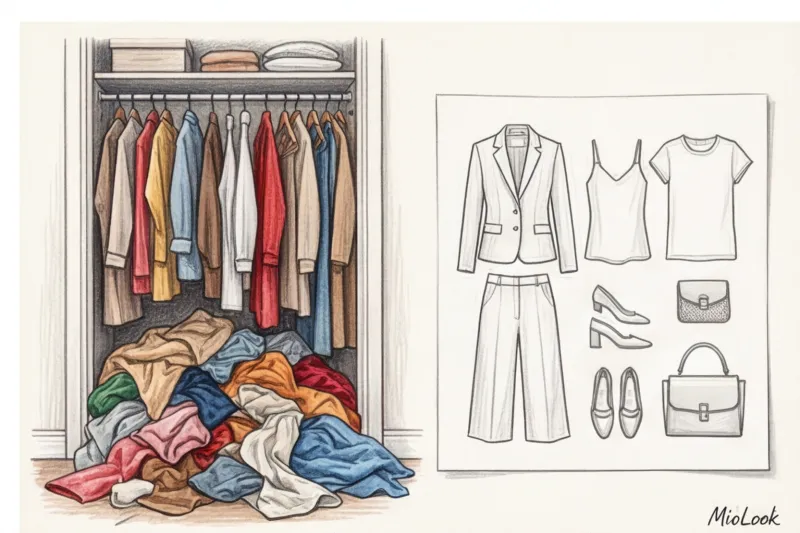
Therefore, a modern approach requires an ecosystem. Removing the background is only 10% of the work. The real magic begins with deep systematization. A huge mistake I often see from beginner colleagues is trying to store their clothing database in ordinary smartphone albums or chaotic folders on cloud drives. This inevitably leads to confusion, making it impossible to quickly find the item you need or filter clothes by the criterion "chunky knit winter knitwear only."
A digital wardrobe should function like a multidimensional relational database. Each item needs to be assigned a tag system: seasonality, color palette, fabric density, brand, and layering index (what can be worn as a first layer and what on top). It's to address these needs that I transition my clients to MioLook This app not only automates background removal with pinpoint accuracy, but also instantly organizes items. The AI assistant recognizes clothing categories and carefully arranges them on virtual shelves. When you receive an urgent request to assemble a wardrobe for a business trip to Dubai with a $1,500 shopping budget, you can filter the client's current summer collection in a few clicks, identify blind spots, and selectively purchase missing items, instead of scrolling through an endless feed of identical photos in a messenger.
Lookbook and Capsule Collection Creation: Apps for the Next Generation of Stylists
A WGSN study revealed a paradox: professional image consultants spend up to 70% of their time on technical routine. Assembling a standard seasonal capsule collection of 15-20 items using the traditional method takes 4 to 6 hours of nonstop work. We manually cut out backgrounds, scale bags to match coat sizes, and endlessly copy product links into hidden tables. This isn't just exhausting—it steals resources we should be investing in conceptual work and client style analysis.
For a long time, we were held hostage by classic graphic editors. Let's be honest: Photoshop, Keynote, and Canva are powerful tools, but they're completely unsuited to fashion. Their main advantage is the absolute freedom of visual layout. You can apply complex shadows, play with layers and typography. But for a practicing stylist, the downsides outweigh any design opportunities.
You have to manually remove the background from dozens of photos over and over again. Even paid built-in removers often hopelessly destroy the texture of fur, tulle, or fine lace. Product links in generated PDF documents regularly become inactive, and the items themselves remain simply static images. The evolution from hand-made collages to smart algorithms has become not just a fashion trend, but a matter of survival in a competitive market. The industry needed a tool where clothing was not a set of pixels, but an interactive database.
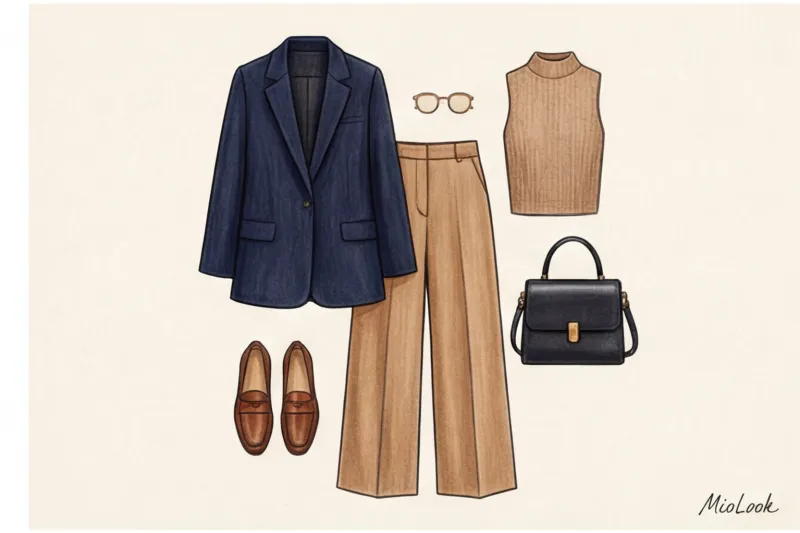
It's at this stage that the transition to a completely different approach occurs. For me, the real professional breakthrough was the integration of artificial intelligence into the styling process. Today MioLook acts as the ultimate solution for these tasks. Unlike graphic editors, it is a specialized AI assistant that automatically assembles images from a client's digitized items and new purchases.
As a certified colorist, I especially appreciate how intelligent algorithms can account for subtle color nuances and contrast levels in a person's appearance, suggesting combinations that I could otherwise spend hours manually creating. You simply upload items into the virtual environment, specify parameters (e.g., "office capsule, smart casual, warm autumn"), and the system generates dozens of mathematically verified combinations. What used to take up to six hours of painstakingly tinkering with layers in Keynote now takes 15-20 minutes of light moderation and final polishing of the neural network's suggested options.
But technical assembly is only half the battle. The key commercial question arises: how to present a capsule collection so that clients buy 90% of the items on offer, rather than rejecting half with the words, "I don't think I can wear this with anything." Over the years, I've developed three presentation rules that work flawlessly in a digital environment:
- Visual anchoring. Never show a new item, especially a statement piece, in a vacuum. If you offer a client a sophisticated tweed jacket for €350, they should immediately see at least four or five looks with it. Three of these looks should consist of their favorite basics, which already hanging in his closet. This instantly removes the fear of buying.
- Interactivity instead of statics. Multi-page PDFs cause cognitive overload. Customers are forced to interact with the capsule: swipe through images, click on a specific item to see details (fabric composition, exact shade, brand), and proceed to checkout in one click.
- Demonstration of the Cost per Wear metric. When a client clearly sees that an expensive investment piece can easily be incorporated into 80% of generated looks, its subjective value in their eyes plummets, justifying the investment.
Nothing kills conversion rates more than a stylist's line, "Imagine wearing this with your black pants." The client's brain is lazy and pragmatic. They don't want to imagine. They want to see a ready-made, visual wardrobe math on their smartphone screen.
Access to MioLook for €0.99 — one-time payment
Start creating perfect images with the help of artificial intelligence
Get access — €0.99 onceStep 3: Online Shopping, Budgeting, and Try-Ons
Even the most brilliant style concept can fall apart at the purchase stage. The client receives disjointed packages, tries on a silk top with sweatpants, becomes disillusioned, and files a return. Over the years, I've developed a strict rule: an image consultant must technically manage the online shopping process, not simply send pretty links via messenger.
Let's start with collecting potential purchases. Manually copying dozens of URLs from websites like Massimo Dutti, COS, or Farfetch is a waste of time. Tools for parsing products from brand and aggregator websites are now built into most professional browser extensions. With one click, we can add not only photos of items on a transparent background to our database, but also the current price, SKU, and available size charts. Advanced parsers can even send notifications if the desired size is sold out or the price has dropped.
Once the shopping cart is filled, the financial math kicks in. One of the main differences between an amateur stylist and a professional is the ability to strictly manage the client's budget: tracking purchases, returns, and deliveries. If we're limited to $1,500, I use CRM systems that clearly show the flow of funds. You and the client understand in real time: $800 worth of items have already been purchased, $300 are pending "awaiting fitting," and $400 are in the inventory, still on their way from the warehouse. This completely alleviates the client's anxiety.
My main logistics life hack: Never let a customer try on a capsule collection piece by piece. If a new pair of trousers arrives on Tuesday, but the perfect jacket doesn't arrive until Friday, there's an 80% chance the trousers will be returned to the store with the words, "They don't suit me."
I always synchronize delivery times from different online stores into a single window (usually on weekends). The customer must try on the finished look, including the shoes, to see the exact image we designed.
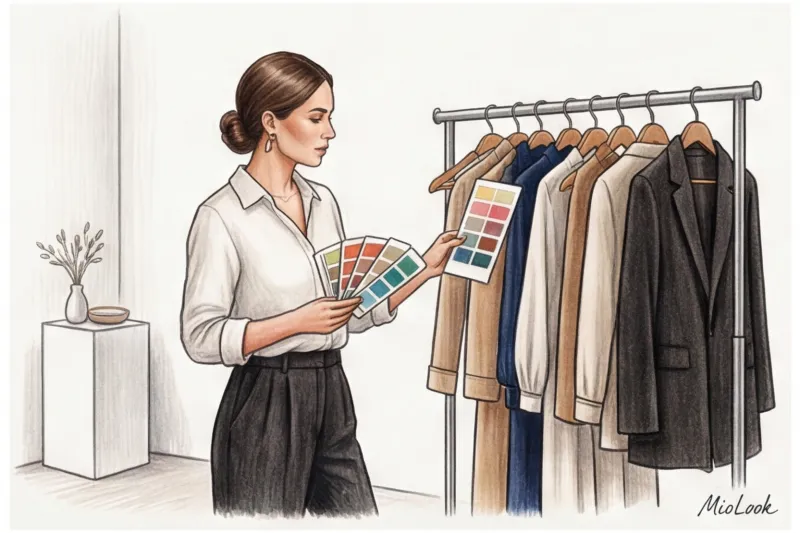
But how can you minimize the return rate even before you hit the "Pay" button? This is where a virtual fitting room and AI-powered fit assessment come into play. Modern algorithms have evolved far beyond simple "size M" recommendations. Neural networks analyze a specific brand's patterns in conjunction with individual parameters (height, girth, and proportions). AI can predict that an oversized coat will look too bulky on a woman 160 cm tall and suggest the Petite line.
Once things have passed this virtual selection filter, I upload them to MioLook In the app, customers can immediately see how a potential €120 skirt will pair with items already in their closet. This dramatically increases conversion rates: customers aren't paying for an abstract "beautiful item," but for a specific number of new looks for every day.
Advanced Level: Online Color Analysis and Typing
Ask any experienced offline specialist what scares them most about working remotely, and nine times out of ten you'll hear: "How can you accurately determine someone's color type through a screen?" This is a perfectly valid concern, requiring a rigorous technical approach.
The main challenge for a colorist in the digital age is the ruthless distortion of colors by modern smartphone sensors and aggressive auto-correction algorithms. The front camera of the latest iPhone models, for example, software-based "warming" of the face, attempting to make skin tone healthier, often adding a non-existent peachy undertone. Meanwhile, popular Android smartphones often cast shadows as cold grays or greenish hues. Add to this the automatic white balance, which fluctuates with the slightest change in room lighting, and you have the perfect recipe for a serious typing error.
How do I solve this problem in practice? Over the years of working online, I've developed a strict calibration protocol. First, I ask the client to send me a short video without makeup, shot exclusively in diffused daylight from a window. But there's one critical condition: there must be a reference white object directly next to the face. Most often, this is a regular matte sheet of A4 office paper. This simple trick gives me the perfect starting point: after loading the video into the editor, I click the color correction tool on the sheet of paper and programmatically adjust the white balance of the entire frame to the true value. Only then can I analyze the true skin tone.
To determine a client's temperature, we conduct a remote metal test. The client alternately places chunky jewelry pieces of cool, smooth silver and warm yellow gold on their face, neck, and décolleté. With the correct white balance, the calibrated video immediately shows a physiological reaction: a harmonious metal visually evens out skin tone and makes the irises glow, while an unbalanced metal instantly accentuates nasolabial folds, pigmentation, and makes the under-eye shadows appear dull.
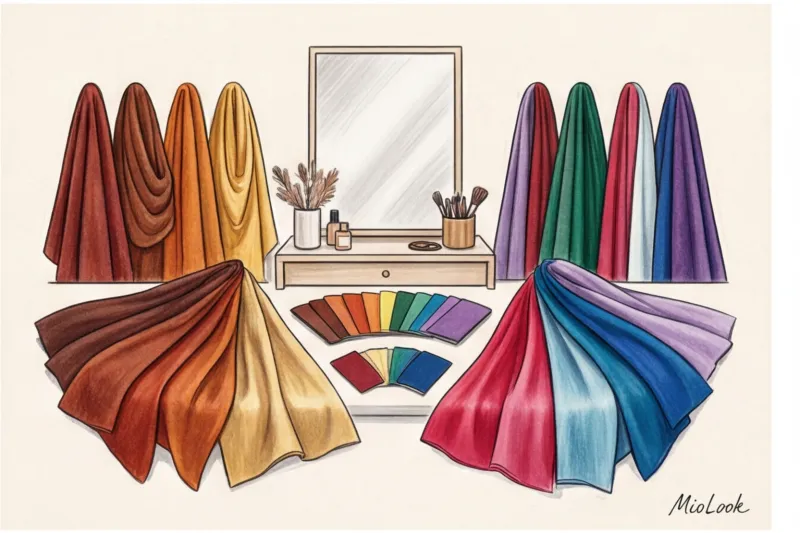
Once the source materials are properly calibrated, digital color draping tools come into play. While we previously applied dozens of heavy pieces of fabric to the client's shoulders in the studio, this process has now migrated to graphic environments. I use professional programs like Procreate on iPad or specialized platforms like Vivaldi Color Lab, which create precise digital masks with reference shades of all twelve color palettes.
By overlaying the client's portrait on top of the frame with the exact code True Winter (True Winter) or Soft Autumn (Soft Autumn), I evaluate the appearance's reaction to color, contrast level, and luminosity in the smallest details. Digital draping has a huge advantage over offline draping: the computer HEX color code never fades with washing or UV light, unlike fabric scarves, which stylists are forced to discard every year.
The result of this painstaking analysis is a personalized palette. Historically, image consultants handed out fabric or cardboard fans to clients—aesthetic but terribly impractical accessories that cost $50-$150 each. But let's face it: they're constantly lost, forgotten at home before spontaneous shopping trips, and crumpled at the bottom of bags.
These days, I send clients exclusively digital swatches. This means access to the palette in specialized mobile apps (like My Best Colors), where each shade is represented as a bar with its name and HEX code. My smartphone is always in hand, meaning I always have my color database with me. The only rule I strictly teach my clients is that when holding the phone screen to the fabric in the fitting room, the display brightness should always be set to 100%, otherwise the color rendering will be distorted.
Integrating color palettes into a digital wardrobe
Simply providing someone with a palette of their ideal shades is only a small part of the job. The real magic begins when we integrate this knowledge into a real digital wardrobe and shopping process. Modern stylist apps allow us to automate the selection of items in online stores based on a client's individual color palette, saving us from hours of manual scrolling.
With precise HEX codes in hand, I use smart filters when parsing brand websites. Instead of manually sifting through two hundred pink sweaters on H&M or COS's website in search of that perfect "dusty rose" shade, these programs let me filter out temperature-inappropriate options right from the start.
Moreover, by loading new potential purchases into MioLook , you can instantly match an item with the base and accent colors of your personalized palette, which is already integrated into your profile. The AI system helps visually highlight dissonance, such as when a cool gray-blue jumper clashes with the warm colors of the current capsule collection. This eliminates a lot of objections: the client can see on the screen why a specific item won't work with other items, and we maintain budget by avoiding mass returns.
Your perfect look starts here
Join thousands of users who look flawless every day with MioLook. Automate your wardrobe selection and keep your ideal palette at your fingertips.
Get access — €0.99 onceThe main myth: “A beautiful PDF file with images is enough for the client.”
Let's be honest. For years, the styling industry has sold clients the illusion of control through weighty presentations. But the harsh truth is: PDF lookbooks are dead. They become hopelessly outdated the second you hit "Submit." You spend twelve hours painstakingly laying out the perfect capsule collection, and within a couple of days, the links expire, the required sizes at, say, COS or Massimo Dutti are sold out, and the entire carefully crafted concept collapses. A static file simply can't survive in the dynamic environment of modern retail.
Now let's look at the situation from the user's perspective. It's 7:30 AM, and there are fifteen minutes left before leaving the house. The classic, everyday problem of "what to wear today" arises. Trying to scroll through a 50-megabyte file on your phone while standing in front of an open cabinet with a cup of coffee in hand is physically uncomfortable. Small fonts, the need to constantly zoom in and out of images and search for the right slide among dozens of others turn morning preparations into stress, not a creative process. Ultimately, the client abandons your beautiful document and goes back to their usual jeans and sweater.
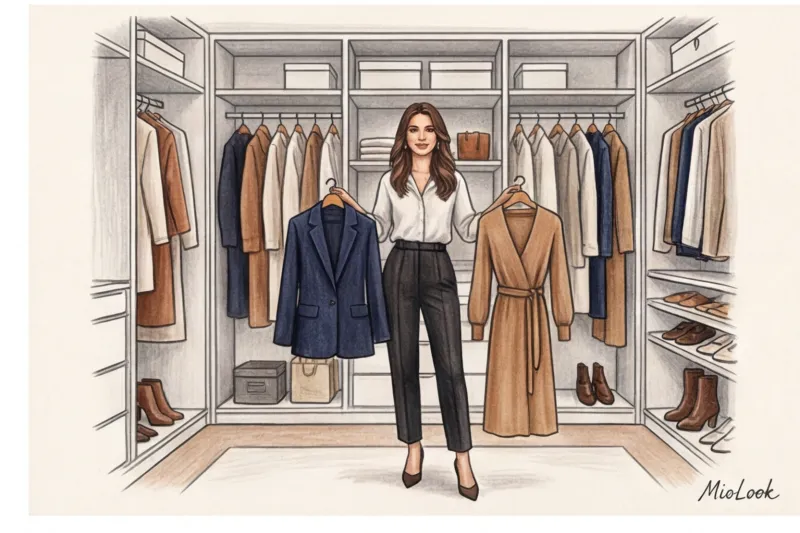
That's why successful image consultants are rapidly shifting to the "Wardrobe in Your Pocket" concept. This represents a fundamentally different level of service. Clients are willing to pay 30-50% more for access to an interactive environment where every item of clothing is clickable, and looks can be filtered by season, current dress code, or even the weather forecast.
The main rule of digital styling: the value of your work is measured not by the number of pages in your presentation, but by how many times a week the client actually uses the formulas you propose.
Therein lies a key commercial insight. When you sell a PDF file, you're selling a one-time service for a nominal $300. Hand over the document and say goodbye until next season. But when you implement professional stylist apps like MioLook , you're changing the business model itself. By uploading a digitized wardrobe to a customer's personal account, you create the infrastructure for a long-term subscription. The customer becomes so accustomed to the convenience of the smart algorithm that after a month, they turn to you specifically for the "support" service—so you can integrate three new purchases into their existing database in real time, rather than creating yet another out-of-touch presentation.
Checklist: A Basic Set of Tools for Starting an Online Practice
Do you know what the most common cause of professional burnout among my graduates in their first year of independent work is? It's not capricious clients or a lack of experience. This is a common case of technology paralysis. Trying to integrate a dozen trending services into their work at once, a specialist begins to spend 80% of their time struggling with interfaces.
My approach, based on the Lean Startup business concept, is to implement software in strict increments. I've developed a step-by-step implementation plan that will prevent you from over-implementing your software and allow you to build a systematic approach.
Minimum Viable Product (MVP) for a Beginner
To launch high-quality online services tomorrow, you don't need a corporate infrastructure costing hundreds of dollars. The core software stack should address three key pain points:
- CRM and project management: Free Notion or Trello plan. Create a card for each client: record their measurements, color preferences, budget, and purchase history. No more paper notebooks or messy messaging apps.
- Visuals and concepts: Figma or Canva Pro. They're ideal for quickly putting together initial mood boards and coordinating style vectors before starting the actual work.
- Wardrobe basics: Interactive apps for stylists , such as MioLook This is the core of your service. Forget about disparate folders on cloud drives—clients need easy access to their images from their smartphone. A digital inventory database is the foundation upon which long-term collaboration is built.
PRO-Level Tools: Automation and AI
When your stable income exceeds $2,000–$3,000 per month, manually downloading photos and copying links starts to directly eat into your profits. At this point, we bring in the heavy artillery:
- Automation of routine: Connect a survey platform (e.g., Typeform) with your CRM via Zapier. The client fills out a brief, and the system automatically creates a project card and sends a welcome email. Savings: up to an hour and a half per new client.
- Generative AI: Midjourney or DALL-E 3 neural networks. I use them to create hyperrealistic references when I can't find the perfect example of fabric texture or oversized jacket fit in standard catalogs.
- Delegation: We hire a virtual technical assistant to parse catalogs of key brands (Zara, COS, H&M) into your workspace. You'll be left with pure analytics and creativity.
How to transition offline customers to digital without stress
The biggest fear of a practicing image consultant is losing a loyal base when changing formats. A 2023 study by McKinsey on customer experience shows that a sudden, forced transition to digital discourages up to 35% of conservative audiences.
How can this be done sustainably? I call this method the "Trojan Horse of Comfort." Don't categorically declare, "I'm now working exclusively remotely." Offer the digital format as a premium bonus to your usual in-person meeting.
For example, after a traditional shopping experience, digitize the items purchased and provide access to a virtual closet. Simply say: "Anna, so you don't have to waste time in the morning wondering what to wear with this new trench coat, I've put together an interactive cheat sheet in the app for you." The client starts using the service daily, gets used to the convenience, and by the next season, they request a remote wardrobe review—because it's faster and more efficient.
Ready to get started?
Try a free plan—no commitments or hidden fees. Digitalize your first wardrobe today.
Get access — €0.99 onceThe personal stylist profession is no longer simply about good taste and a sense of color. Today, we are wardrobe architects, working at the intersection of fashion and technology. Those professionals who continue to rely solely on their talent and reject digital tools will inevitably lose out to those who work faster and more systematically. Technology is not a threat to your creativity. It's a tool that frees up time for it.
Guide Chapters
Online Styling Services: Prices, Analysis, and Capsule
Why a cheap $20 capsule will turn into a disappointment? An honest analysis of how the actual price of a virtual stylist's services is determined.
Virtual Dress Try-Ons for Stylists - An Online Guide
70% of clothing returns are due to disappointing fit expectations. We explain how to show a client the correct silhouette remotely and avoid mistakes.
How to Design a Lookbook for a Client: Formats and Templates
Forget about scattered links and photos in messengers. We'll show you how to create a stylish and intuitive stylebook for your clients.
Neural networks for stylists: how to automate routine work
How can you stop drowning in bags of clothes and broken links? We'll explain how to integrate AI into your stylist's workflow and delegate routine tasks to algorithms.
Online Shopping with a Stylist: Shopping List Secrets
Remote styling isn't just links in a messenger; it's a complex system. Learn how to properly create shopping lists to avoid broken links and sold-out sizes.
How to Work Online as a Stylist: A Step-by-Step Guide
Online styling isn't just about exchanging links to clothing items via messenger. Learn how to build a remote clientele system and create a premium service.
Digitizing a Stylist's Wardrobe: How to Create a Database
Tired of seeing clients' clothing photos in messaging apps? We'll show you how to organize your items into a convenient digital database and streamline your workflow.
Clothing capsule design software: top apps
Working on your own diminishes the value of a stylist's services and leads to mistakes. We'll explore the best services for professional wardrobe visualization.
Online Wardrobe Analysis for Stylists: A Step-by-Step Guide
Learn how to take your wardrobe review online without spending hours on the phone with your client. An effective methodology that will save you time and stress.