Навіщо намагатися: як якість фото впливає на роботу віртуального стиліста
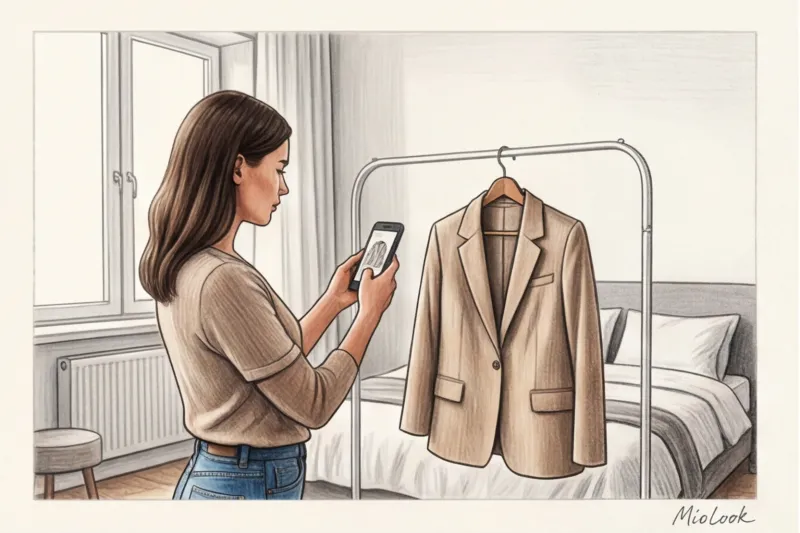
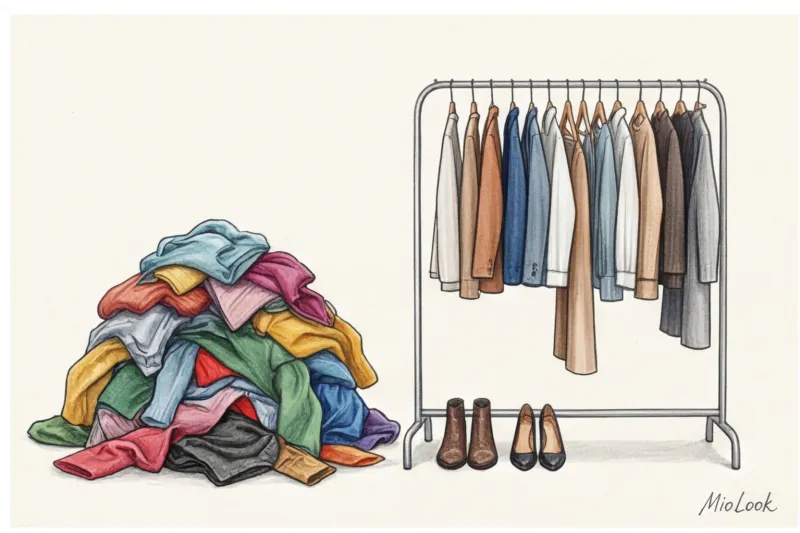
Знаєте, з якої фрази найчастіше розпочинається моя робота з аудиту цифрових шаф нових клієнток? «Катажина, ця програма пропонує мені абсолютно безглузді та нудні образи!». Але коли ми відкриваємо профіль, причина стає очевидною: сукні зняті в жовтому світлі лампочки в коридорі, а штани недбало кинуті на пом'яте ліжко. Перш ніж звинувачувати штучний інтелект, важливо зрозуміти базове правило: те, як сфотографувати одяг для віртуального гардеробу , Прямо визначає, наскільки стильними і носибельними вийдуть ваші майбутні луки.
Давайте розберемо технічну виворот. Коли ви завантажуєте знімок у MioLook , нейромережа не бачить «улюблену блузку з шовку» Вона використовує алгоритми Computer Vision для аналізу пікселів. Програма зчитує RGB-коди для визначення точного відтінку, шукає контрастні межі, щоб розпізнати силует (оверсайз це або приталений крій), та аналізує карту тіней для розуміння фактури тканини. Якщо річ знята в напівтемряві або в зім'ятому вигляді, алгоритм отримує спотворені дані. Докладніше про механіку ми писали в посібнику про генератор образів з одягу та роботу ІІ.
Цифровий гардероб працює за суворим IT-правилом: "сміття на вході - сміття на виході" (Garbage in, garbage out). Нейросітка не має фантазії, щоб додумати реальний вигляд речі, якщо на фото вона виглядає як безформна пляма.
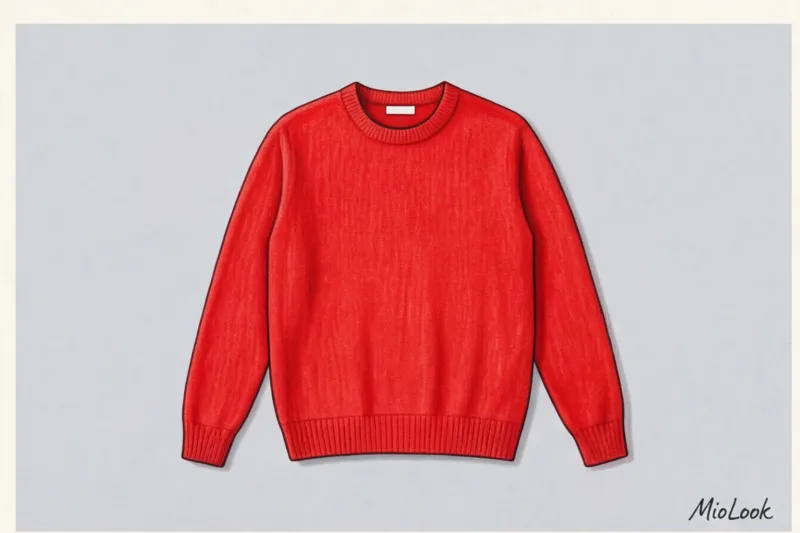
На моїй практиці найчастіша проблема – це банальне спотворення кольору через освітлення. Візьмемо класичний приклад із мого недавнього розбору: чудовий темно-синій (navy) светр від COS із мериносової вовни вартістю близько 115€. Клієнтка сфотографувала його ввечері під час штучного кімнатного світла. В результаті матриця смартфона перетворила глибокий синій на глухий чорний. Що робить розумний алгоритм? Він чесно підбирає до «чорного» светра компаньйони за правилами колористики. У результаті вранці ви одягаєте запропоновану цибулю, дивіться у дзеркало і розумієте, що кольори відчайдушно конфліктують. ІІ не помилився — він працював із тими вступними, які ви йому надали.
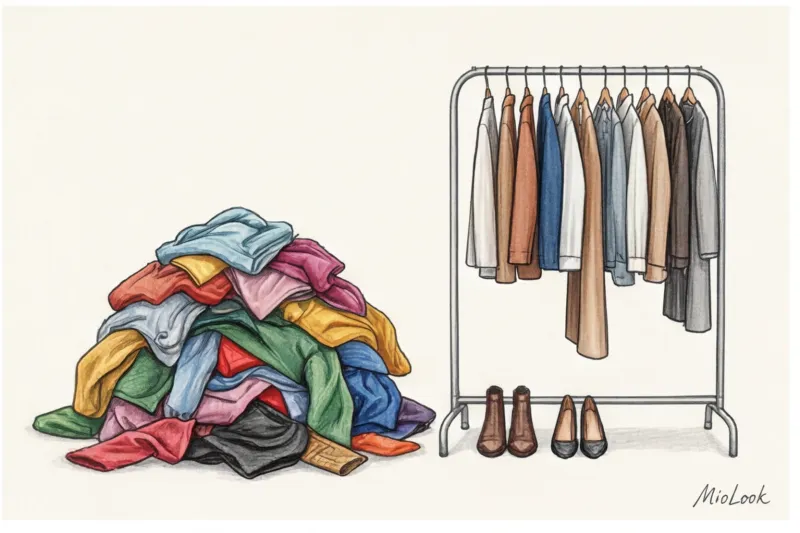
Третій важливий аспект - психологічна ілюзія "і так зійде". Багато дівчат думають: «Головне, що річ додана до бази, а як вона виглядає на іконці — справа десята». Це фатальна помилка для персонального стилю. Якщо базова біла сорочка сфотографована в зім'ятому вигляді на тлі строкатого килима, в готовій капсулі на екрані вона виглядатиме неохайно. За 12 років роботи стилістом я чітко засвоїла: ми не носимо речі, які не викликають візуального натхнення.
На одній із консультацій ми завантажили кашеміровий кардиган, знятий поспіхом. Додаток завзято пропонував до нього мішкуваті спортивні джоггери, тому що через розмаїття складок на фото річ зчитувалася як домашня толстовка. Як тільки ми перезняли його правильно - рівно розклавши при денному світлі - алгоритм миттєво "побачив" благородну фактуру і видав елегантні поєднання з шовковою спідницею-міді. Інвестуйте трохи часу в якісні вихідні джерела, і віртуальний стиліст відпрацює кожну витрачену хвилину.
Правило стиліста: не фотографуйте все поспіль
За статистикою дослідницької організації WRAP, середньостатистична європейська жінка регулярно носить лише 20–30% вмісту своєї шафи. Решта висить мертвим вантажем. Логічно припустити, що при встановленні fashion-програми перша думка — відзняти абсолютно все до останньої майки. Це головна помилка, яку бачу у новачків.
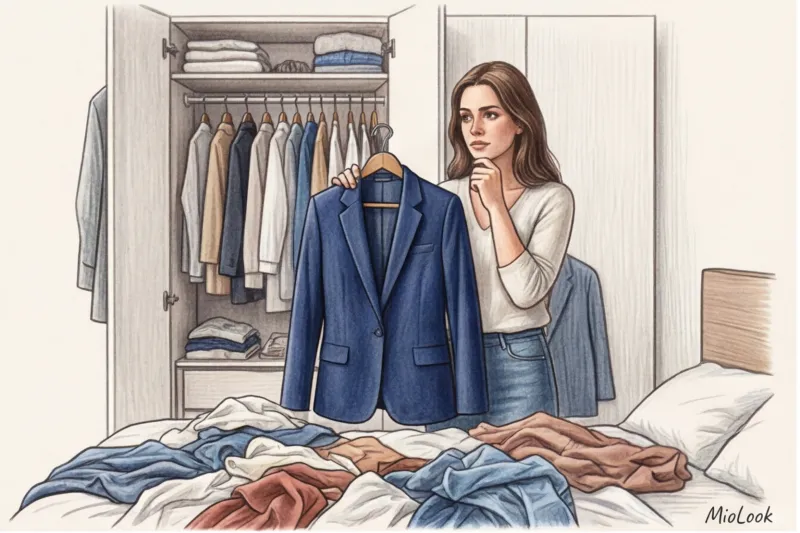
Багато клієнток запитують мене, як сфотографувати одяг для віртуального гардеробу так, щоб алгоритм збирав із нього естетичні образи. Моя перша порада завжди звучить контрінтуїтивно: не треба знімати все. Оцифрування - це ідеальний, безболісний момент для розхламлення. Ви не просто створюєте каталог, ви займаєтеся особистим бутік. Бездумне перенесення фізичного хаосу в цифровий формат призведе лише до того, що розумна стрічка пропонуватиме вам сотні неактуальних поєднань.
Відразу відкладіть у бік три категорії речей, яким категорично не місце у вашому профілі:
- Одяг для дачі і прогулянок з собакою в бруд. Розтягнуті світшоти та вицвілі футболки не беруть участь у стильних формулах. Алгоритм не повинен витрачати обчислювальну потужність, пропонуючи вам мікс зі строгих штанів і худи з плямою, що не відмивається.
- Речі з категорії «коли схудну». Якщо дизайнерські джинси чекають свого часу вже третій рік, їхня поява на екрані смартфона щодня викликатиме почуття провини та візуальний стрес. Залишайте в активній базі тільки те, що бездоганно сидить на вашій фігурі прямо зараз.
- Зношений трикотаж. Навіть дорогий кашеміровий джемпер за 150 €, покритий катишками або втратив форму, зіпсує будь-яку віртуальну цибулю. Якщо машинка для стрижки ворсу (яка коштує від сили 15€) вже не рятує ситуацію - речі настав час на переробку.
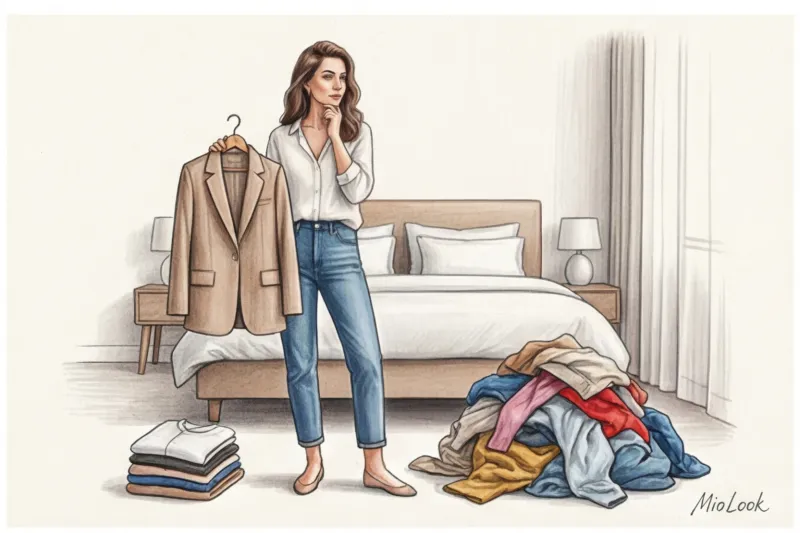
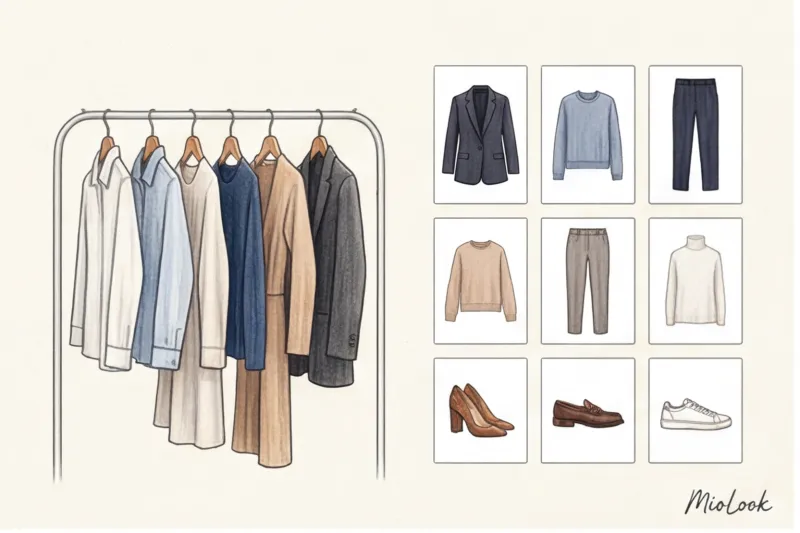
Замість тотальної багатогодинної інвентаризації сфокусуйтесь на ядрі. Почніть з вашої базової капсули - тих перевірених речей, які становлять 80% повсякденних виходів. Це ваші широкі штани, що ідеально сидять (наприклад, з Massimo Dutti або COS), улюблена біла сорочка правильного крою, пара якісних джемперів з мериноса, базові джинси і структурний жакет.
«Секрет працюючого цифрового гардеробу не в кількості завантажених позицій, а в їхній високій комбінаториці. Десять правильних, актуальних речей дадуть вам більше носибельних образів, ніж п'ятдесят випадкових покупок із розпродажу, які ви додали просто «щоб було».
Доступ до MioLook за €0,99 — разовий платіж
Розумний AI-стиліст підбере ідеальний образ із ваших найкращих речей.
Відкрити доступ — €0,99 разовоМікро-крок на сьогоднішній день: відберіть для першої фотосесії не більше 25–30 предметів. Цього обсягу з лишком вистачить, щоб нейромережа почала генерувати десятки свіжих стильних поєднань, а ви не вигоріли на етапі створення фотографій.
Організація домашньої студії за 5 хвилин: що знадобиться
Часта відмовка, яку я чую на консультаціях: «Я не можу красиво оцифрувати шафу, я не маю нормального світла і відповідного фону». Багато дівчат щиро вірять, що для якісної картинки у додатку потрібен софтбокс або хоча б модна кільцева лампа для селфі. Насправді ідеальна робоча зона збирається у вашій вітальні рівно за п'ять хвилин, а її бюджет рідко перевищує вартість чашки кави.
Якщо ви шукаєте оптимальний спосіб, як сфотографувати одяг для віртуального гардеробу з першої спроби та без спотворення відтінків, почніть із пошуку правильного світла. Найкраще джерело — це звичайнісіньке вікно. Але тут є суворий нюанс: нам потрібний виключно денне розсіяне світло без прямих сонячних променів. Яскраве полуденне сонце створить жорсткі, графічні тіні і банально «випалить» колір на фото — ваш улюблений смарагдовий кардиган здаватиметься блякло-зеленим з білими плямами. Ідеальний час для зйомки – перша половина дня, коли сонце світить у вікно навпроти, або трохи хмарна погода, яка працює як гігантський природний фільтр.
Відразу домовимося: ми категорично відмовляємося від вбудованого спалаху та настільки популярних кільцевих ламп. До мене часто потрапляють каталоги, зняті під таким світлом, і це катастрофа фактури тканини. Штучне пряме світло дає жорсткі крапкові відблиски. Шовкова сукня-комбінація від Massimo Dutti перетвориться на хаотично блискучу пляму, а гладка шкіра дорогої сумки буде виглядати як дешевий пластик через агресивно відбите світло.
Тепер поговоримо про тло. Головний ворог будь-якого алгоритму видалення фону - це звичайна домашня постіль. Фотографувати речі на м'ятому простирадлі або об'ємному пледі категорично не можна. Нейросети в додатках влаштовані так, що вони зчитують перепади розмаїття. Вони сприймають численні складки на тканині простирадла як структурне продовження вашої речі. Виникають помилкові тіні, які алгоритм не може відокремити від рукава чи подолу. У результаті ви отримуєте криво обрізану картинку з «рваними» краями, яка візуально здешевить будь-який колаж із образами.
Мій особистий стилістичний лайфхак, який заощаджує нерви сотням клієнток перед розбором гардеробу: сходіть до найближчого магазину канцтоварів. Забудьте про покупку спеціальних вінілових фотофонів. Найдешевше і абсолютно ідеальне рішення – два аркуші щільного матового ватману формату А1.
Вам знадобиться один чисто білий лист і один світло-сірий (сірий врятує вас під час зйомки білих сорочок, щоб вони не зливались з підкладкою). Обійдеться цей набір буквально в 3-5 €, але результат буде відмінним від студійної предметної зйомки.
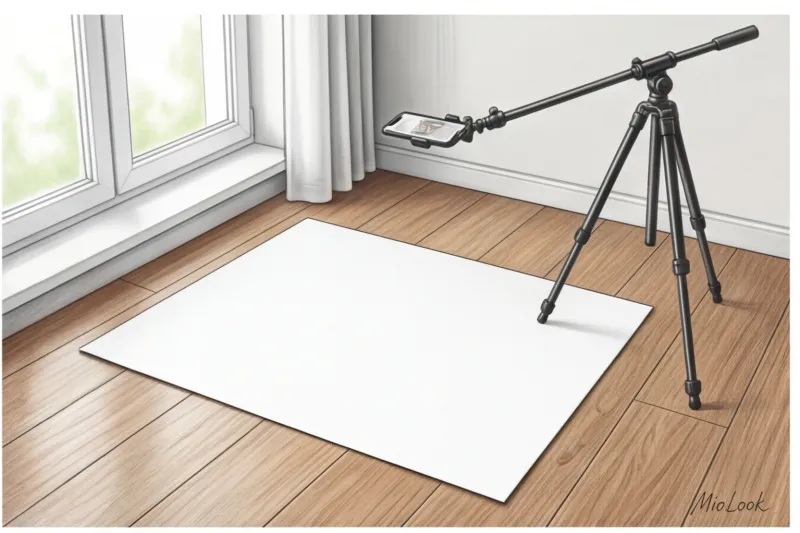
Чому саме матовий ватман? Його поверхня поглинає, а чи не відбиває світло. Ви просто кладете картон на підлогу максимально близько до вікна, акуратно розправляєте на ньому річ і робите кадр. Жодних складок, жодних паразитних тіней від текстури підлоги чи килима.
Невеликий технічний нюанс з моєї практики: коли ви розкладаєте ватман на підлозі, стежте за тим, де ви самі стоїте. Поширена помилка - стати спиною до вікна, перекриваючи собою джерело світла і відкидаючи тінь прямо на штани, що знімаються. Вставайте збоку від композиції. Об'єктив смартфона має бути паралельно підлозі, а розсіяне світло — м'яко заливати річ з одного боку. Ця найпростіша схема з двох шматків паперу та правильної точки зйомки заощаджує годинник ручного редагування фонів у додатку.
Покрокова інструкція: як сфотографувати одяг для віртуального гардеробу
Одна з моїх клієнток у Берліні якось провела всі вихідні, оцифровуючи свою шафу, але вбудований у додаток алгоритм наполегливо пропонував їй абсолютно безглузді поєднання. Коли ми відкрили вихідні фото, проблема стала очевидною: класичні прямі джинси на знімках перетворилися на звужені «морквини», а об'ємні жакети виглядали як безформні квадрати. Причина крилася у банальному порушенні геометрії кадру.
Якщо ви шукаєте робочий алгоритм, як сфотографувати одяг для віртуального гардероба з першого разу та без переробок, почніть із двох жорстких правил композиції. По-перше, річ має займати рівно 80% кадру. Занадто багато порожнього фону довкола змушує алгоритми стискати зображення, через що втрачається текстура тканини. Занадто крупний план — і нейромережа обріже краї рукавів.
Як зазначають фахівці Інституту технологій моди (FIT, 2023), нейромережі комп'ютерного зору зчитують пропорції одягу математично. Спотворення перспективи всього на 10 градусів кардинально змінює алгоритмічне сприйняття крою.
По-друге, об'єктив вашої камери має бути строго паралельно площині на якій лежить річ. Жодних зйомок під кутом або з висоти вашого зростання, якщо річ лежить на ліжку. Увімкніть функцію «Сітка» (Grid) у налаштуваннях камери смартфона. Якщо ви знімаєте на підлозі, станьте прямо над річчю. Якщо ви відчуваєте, що телефон нахиляється на вас, використовуйте невелику драбину або стілець. Тільки паралельна зйомка гарантує відсутність спотворення пропорцій.
Флетлей (розкладка на площині) vs Вішалка
Найчастіше питання на моїх консультаціях: чи обов'язково все розкладати на підлозі, чи можна просто повісити на дверцятах шафи? Моя відповідь завжди однозначна, і вона залежить від категорії речі.
Будь-який трикотаж - светри великої в'язки, тонкі кашемірові кардигани, базові футболки - потрібно знімати тільки в розкладці (флетів). Важкий светр миттєво витягується під власною вагою на плічках. Це не тільки псує саму річ, деформуючи лінію плеча, а й дає ІІ неправильний витягнутий силует. Те саме стосується трикотажних суконь: на вішалці вони виглядають як сумні мішки, а на площині ви можете задати їм правильну форму.
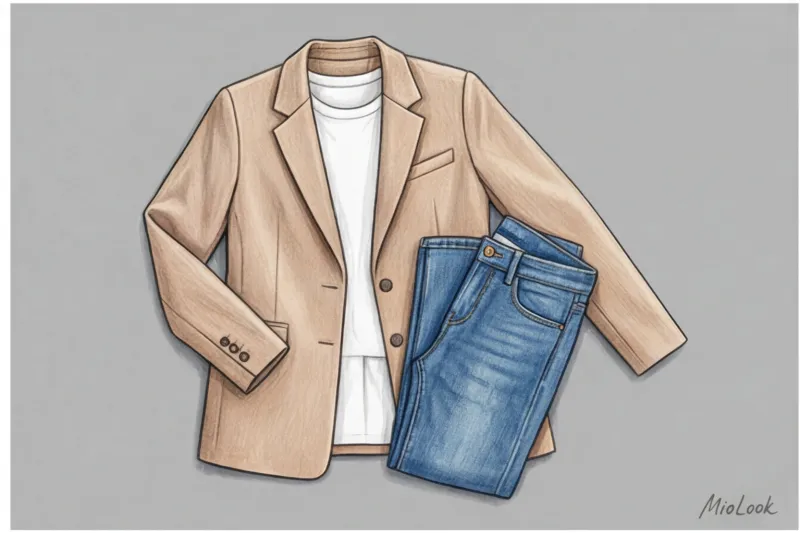
А ось жакети, щільні сорочки, структуровані сукні та пальта вимагають іншого підходу. Ці речі мають свою архітектуру: підплічники, виточки, жорсткий комір. Тут ідеально працює метод «невидимої вішалки» або використання тонких плічок строго в колір вашого фону (наприклад, білі плічка на білому ватмані). Вішалка підтримує плечовий пояс, і річ виглядає так, ніби вона вже одягнена на людину.
Найважливіший нюанс для формування силуету — робота з рукавами. Найчастіша помилка новачків – притискати рукави щільно до тулуба речі. Ніколи не робіть так! Обов'язково залишайте «повітря» між рукавом та бічним швом. Нейросеть повинна чітко бачити лінію пройми. Злегка відведіть рукави убік і зігніть їх у ліктях, створюючи природну, розслаблену позу. Так крій речі буде раховано максимально коректно.
Доступ до MioLook за €0,99 — разовий платіж
Почніть створювати ідеальні образи за допомогою штучного інтелекту
Відкрити доступ — €0,99 разовоЯк показати довжину та посадку низів (брюки, спідниці)
Зйомка низів потребує особливої акуратності, тому що саме зі штанами нейромережі помиляються найчастіше. Візьмемо, наприклад, надпопулярні широкі джинси або штани-палаццо. Якщо ви просто покладете їх на фон, з'єднавши штанини разом, вони зіллються в єдину прямокутну пляму. Алгоритм із ймовірністю 90% розпізнає їх як спідницю максі. Щоб цього уникнути, злегка розправте штанини убік. Між ними внизу має утворитися відстань 10–15 сантиметрів, щоб фон сформував чіткий перевернутий трикутник. Так ІІ зрозуміє, що перед ним саме штани.
Друге критичне правило: бездоганна демонстрація поясу та фурнітури. Не обрізайте талію у спробі вмістити довгі штани у кадр! Пояс диктує посадку. Ширинка, гудзики, шльовки для ременя, защипи - все це маркери стилю. Навіть базові джинси з мас-маркету за 40 € виглядатимуть у віртуальних капсулах як преміальний денім, якщо ви правильно покажете їхню високу талію та деталі крою.
Щодо спідниць, тут ми працюємо як скульптори. Збереження А-силуету вимагає акуратної викладки подолу віялом на площині - розгладьте тканину руками від центру до країв. Спідниця-олівець, навпаки, має лежати рівно, явно демонструючи завуження донизу.
Заради справедливості, чесно зізнаюся: це правило працює не завжди. Якщо у вас спідниця з тонкого шовку, скроєна по косій (bias cut), красиво викласти її на жорсткій площині – завдання практично нездійсненне. У таких поодиноких випадках я дозволяю клієнткам відступити від правил і використовувати вішалку з м'якими затискачами, щоб передати природну плинність і драпірування складної тканини.
Секрети стиліста: знімаємо «складні» фактури та кольори
Камери сучасних смартфонів чудово справляються з пейзажами, але часто пасують перед текстурами тканин. Оптичний сенсор намагається усереднити експозицію кадру: у результаті матові матеріали зливаються з фоном, а глянсові покриваються дешевими білими відблисками. Вивчаючи каталоги брендів, я завжди звертаю увагу на роботу зі світлом. Розкішна блуза з важкого натурального шовку від Other Stories за 120 € на невдалому домашньому кадрі ризикує перетворитися на плоский шматок поліестеру.
Коли нові клієнтки питають мене, як сфотографувати одяг для віртуального гардеробу Щоб уникнути таких візуальних спотворень, я починаю з фізики світла. Об'єктив не розуміє обсяг без гри світлотіні. У результаті розумний алгоритм отримує спотворені дані про матеріал і пропонує вам комбінувати урочистий блискучий атлас із повсякденними спортивними джоггерами, думаючи, що це звичайна бавовна. Щоб MioLook або інший цифровий помічник правильно зчитував щільність та призначення речі, нам потрібно «пояснити» камеру фактуру.
Біле на білому та чорне на чорному
Найпідступніша задача при оцифровці - зафіксувати монохромні речі так, щоб нейромережа при видаленні фону не відрізала комір або рукава. Дослідження алгоритмів сегментації зображень, проведене інженерами Adobe (2022), наочно показує: програма шукає межу об'єкта виключно різницею контрастних пікселів. Якщо ви покладете білу сорочку COS на біле простирадло або білий ватман, краї оптично зникнуть.
Тут набирає чинності правило розмаїття. Для світлого одягу (білого, кремового, світло-жовтого) я завжди використовую щільний світло-сірий ватман. Цей відтінок досить нейтральний, щоб не спотворювати автоматичний баланс білого в телефоні, але дає чіткий темний контур для коректного відсічення силуету.
З чорним кольором проблема рівно протилежна — річ перетворюється на плоску «чорну дірку» без витоків, гудзиків та лацканів. Щоб витягнути деталі з вугільно-чорного блейзера або фактурної вовняної водолазки Massimo Dutti, нам потрібне тверде бічне світло. Розташуйте джерело світла (або вікно) строго збоку, щоб промені ковзали по поверхні тканини, промальовуючи кожну мікротінь у складках. Додатково, прямо під час зйомки, топніть пальцем по темній частині речі на екрані смартфона і злегка підніміть повзунок експозиції. Тканина на екрані посвітлішає до темно-сірої, натомість ІІ вважає складний крій. Після видалення фону у програмі візуальний баланс відновиться.
Принти, паєтки і шовк
Глянцеві поверхні – головні вороги телефонної автоматики. Паєтки, атлас і віскоза із сатиновим плетінням відбивають світло нерівномірно, відправляючи в об'єктив жорсткі пересвіти.
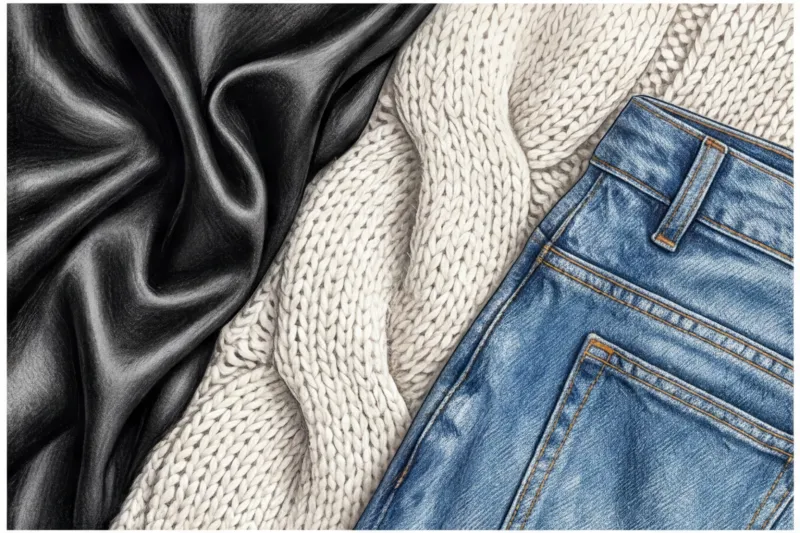
Щоб уникнути випалених білих плям на глянсових тканинах, необхідно максимально розсіяти світло. Якщо ви знімаєте біля вікна в сонячний день, обов'язково задерніть напівпрозорий тюль або навіть наклейте на скло звичайний пекарський папір. Це створить ефект професійного софтбоксу. Той самий шовк вимагає м'якого, освітлення, що обволікає — тільки в таких умовах на фото буде видно дорогий шляхетний перелив.
З дрібним принтом (гусяча лапка, п'є-де-пуль, дрібний горох або тонка костюмна смужка) виникає інша технічна складність – ефект муару. При цифровому стисканні фотографії алгоритм часто сприймає такий візерунок як візуальний шум або бриж. Щоб уникнути цього, камеру потрібно тримати абсолютно нерухомо і фіксувати фокус вручну. Зробіть довге натискання на екран смартфона в області візерунка до появи напису AE/AF Lock (Фіксація фокусу). Якщо принт все одно зливається в кашу, наблизьте телефон на пару сантиметрів ближче, пожертвувавши краями речі: нейромережі критично важливіше зрозуміти сам патер тканини, ніж побачити порожнє тло навколо.
Взуття, сумки та аксесуари
Цифровізація не закінчується на базовому одязі. Аксесуарна група — це сполучний клей будь-якого образу, але переносити їх у додаток необхідно за іншими законам. Архітектура колодки туфель або форма сумки просто не читається, якщо дивитися на них зверху.
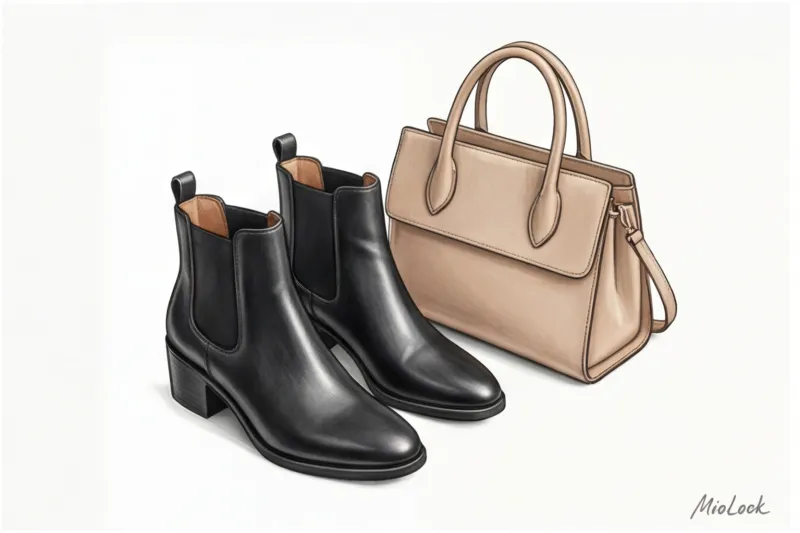
Взуття ніколи не знімають у ракурсі "флетлів" (вид зверху). Згадайте, як викривлено виглядають ваші власні ступні, коли ви дивитеся на них стоячи. Правильний кут для взуття - суворо у профіль, щоб була зрозуміла форма миска, висота та вигин каблука. Як альтернатива відмінно працює зйомка під кутом 45 градусів (в три чверті), злегка розгорнувши пару до камери. У такому ракурсі ботильйони Zara або лофери з масивною підошвою одразу набувають реалістичного об'єму та правильних пропорцій, що допомагає при складанні луків.
При роботі з сумками я застосовую золоте правило візуального мерчендайзингу: річ має виглядати так, як вона поводиться в житті. Каркасні моделі (тоути, портфелі, крос-боді із жорсткої шкіри) знімаємо як є. А ось м'які форми – наприклад, популярні сумки-хобо чи мішки – потрібно обов'язково наповнити перед зйомкою. Якщо покласти порожню м'яку сумку на тлі, вона розтече безформним млинцем. Набийте крафтовим папером, згорнутими шарфами або пухирчастою плівкою, щоб зімітувати природний об'єм.
Довгі аксесуари на зразок ременів, краваток і шарфів створюють візуальний хаос, якщо намагатися впхнути їх у кадр витягнутими в одну лінію. Шкіряний ремінь слід скрутити в акуратне, але не туге кільце, сховавши хвостик усередину і залишивши гарну пряжку на очах. Об'ємні зимові шарфи або тонкі кашемірові палантини краще зав'язати в естетичний, трохи розслаблений вузол. Це не тільки економить місце в кадрі, а й демонструє пластичність тканини — розумний алгоритм відразу розпізнає м'який аксесуар, що драпірується.
Оптимізація під ІІ: як допомогти нейромережі видалити фон
Нещодавно я аналізувала закритий звіт розробників систем машинного навчання для fashion-сегменту за 2023 рік, та їх внутрішні дані промовисті: понад 68% помилок при автоматичному вирізуванні фону виникають не через «слабкість» алгоритмів, а через некоректну підготовку вихідного кадру. Людське око миттєво відрізняє край бежевого тренчу від світлого ламінату на підлозі, але для програмного коду це лише масив пікселів із практично ідентичними значеннями яскравості.
Саме тому контраст – головний друг алгоритмів Computer Vision. Машинний зір налаштований на пошук різких перепадів кольору та світла, щоб визначити межі об'єкта (так звані edge pixels). Коли мене запитують, як сфотографувати одяг для віртуального гардероба без необхідності потім вручну стирати зайве тло гумкою на екрані, я раджу ставитися до процесу як до створення трафарету. Якщо ви покладете темно-синій джемпер на чорний килим, то фізична межа зникне. Нейросети доведеться вгадувати контур, і вона гарантовано відріже половину рукава або спотворить плечову лінію. Ваше завдання – забезпечити максимальну оптичну різницю між тканиною та поверхнею.
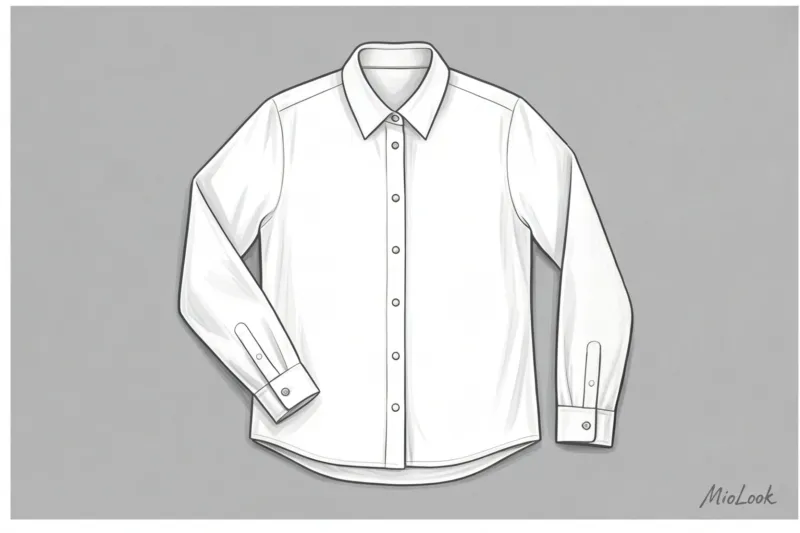
Друга, не менш підступна проблема під час оцифрування — це робота з тінями. Строго слідкуйте за тим, як лягає світло. Якщо ви використовуєте жорстке направлене джерело (наприклад, присунули близько настільну лампу), від щільної тканини на фоні падає глибока, графічна тінь. Нейросеть, скануючи контур, часто сприймає цей контрастний темний провал як частину одягу. В результаті ваш улюблений строгий жакет від Massimo Dutti після обробки матиме безформне темне «крило» з одного боку. Вихід один: знімати тільки при розсіяному світлі, яке дає м'яку, прозору півтінь — оптичні сенсори вона не збиває.
Третій найважливіший аспект, про який забувають майже всі новачки – це правильне формування силуету виробу перед клацанням камери. У цифрових програмах речі накладаються один на одного шарами у форматі файлів з прозорим фоном. Якщо ви сфотографуєте недбало кинутий розстебнутий кардиган від Other Stories, краї якого хаотично заломилися всередину, алгоритм чесно і точно виріже саме цю криву, зламану форму.
Чому розстебнуті гудзики та блискавки такі критичні? Тому що недбало розкрита річ вирізається асиметрично і псує всю цибулю у конструкторі образів. Коли ви спробуєте візуально «одягнути» такий кардиган поверх базової футболки, шари просто не збігатимуться. З'являться віртуальні дірки в силуеті, комір з'їде, і підсумковий колаж виглядатиме вкрай неохайно. Щоб ІІ видавав ідеальні форми, завжди застосовуйте правило суворої геометрії:
- Повністю застебніть усі гудзики на сорочках, жакетах та пальто.
- Блискавки на куртках, худі та олімпійках закрийте мінімум на три чверті довжини.
- Розправте борти вироби так, щоб вони лежали паралельно один до одного і формували зрозумілий прямокутний або А-силует.
Витративши зайві 15 секунд на застібку фурнітури перед зйомкою, ви заощадите собі годинник на спробах зібрати естетичний повсякденний образ із безформних уривків тканини у додатку.
Ваш ідеальний образ
починається тут
Приєднуйтесь до тисяч користувачів, які щодня виглядають бездоганно з MioLook.
Відкрити доступ — €0,99 разовоЕкшен-план: як відзняти весь гардероб за вихідні
Минулого місяця я проводила оцифрування шафи для топ-менеджера швейцарського банку. У нас було рівно три години, щоб відзняти 140 позицій одягу, взуття та сумок. Як ми це зробили? Ми застосували підхід архітектора гардеробу: строгу виробничу логістику замість творчого хаосу. Якщо ви думаєте, що перенесення речей у смартфон займе довгі тижні, ви помиляєтесь. Головний секрет швидкості криється у правильній послідовності дій.
Перше, з чого починається будь-яка професійна зйомка, — це підготовка фактури. Ніколи не знімайте речі, які ви щойно дістали з дальньої полиці у зім'ятому вигляді. М'ята одяг виглядає відверто дешево на екрані, і ніякі розумні алгоритми це не виправлять. Витратьте 40 хвилин на роботу добрим відпарювачем перед початком процесу. Гладка тканина не тільки виглядає естетично в готових віртуальних капсулах, але й позбавляє алгоритми помилкових тіней, які глибокі заломи створюють на світлі. Уявіть, наскільки безглуздо виглядатиме розкішний шовковий топ Massimo Dutti, якщо в конструкторі образів він здаватиметься пересушеним і «пожованим».
Друга, найбільш руйнівна помилка, що з'їдає годинник вашого часу, — спроба знімати речі готовими цибулями. "Так, зараз сфотографую білу сорочку, потім відразу сині джинси до неї, і заразом лофери". Ні та ще раз ні! Якщо ви бажаєте зрозуміти, як сфотографувати одяг для віртуального гардеробу з максимальною ефективністю, використовуйте жорсткий метод конвеєра.
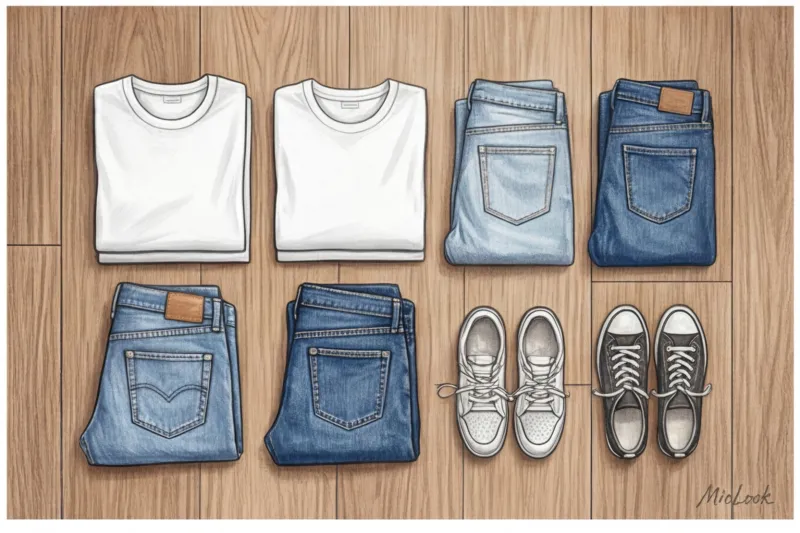
Чому конвеєр такий важливий? Кожна категорія речей вимагає свого мікро-налаштування простору: для штанів потрібно відійти трохи далі, щоб захопити всю довжину штанин, для сумок та взуття – змінити кут нахилу камери на 45 градусів. Якщо ви постійно змінюєте ці налаштування заради одного кадру, ви безнадійно втрачаєте ритм. Групуйте речі строго за типами. Спочатку ви знімаєте всі топи, світшоти та футболки, тому що для них потрібна абсолютно однакова розкладка. Потім переходьте до штанів та джинсів. Завершаєте блоком взуття та аксесуарів. За такого підходу на фіксацію одного предмета йде близько 40–50 секунд.
Давайте зберемо цей процес у чіткий покроковий чек-лист. Ось алгоритм, який дозволяє моїм клієнтам заощадити до 150 € (стільки в середньому коштує базова година роботи асистента-організатора) і зробити все самостійно, не розтягуючи процес на місяць:
- Крок 1: Сортування та підготовка. Розділіть гардероб на чіткі стоси: «плечові вироби», «поясні», «взуття», «сумки». Увімкніть відпарювач і впорядкуйте все, що вимагає прасування.
- Крок 2: Фіксація фону. Розкладіть ваш ватман на підлозі біля вікна у години найкращого денного світла. Обов'язково зафіксуйте краї малярським скотчем, щоб фон не ковзав. Протріть об'єктив камери смартфона мікрофіброю – банально, але це підвищує різкість деталей на третину.
- Крок 3: Зйомка блоків. Включаємо улюблений подкаст та запускаємо наш «конвеєр». Кладемо річ – розправляємо рукави – робимо кадр – прибираємо. Не витрачайте час на розгляд і масштабування кожного фото, просто стежте, щоб об'єктив фокусувався на тканині.
- Крок 4: Пакетне завантаження. Коли галерея телефону заповнена ідеальними вихідними джерелами, сідайте на диван з чашкою кави та відкривайте MioLook. Програма дозволяє завантажувати знімки пакетами: ви просто виділяєте весь знятий блок топів, і вбудований AI автоматично видаляє фон у десятків фотографій разом.
Оцифрування не повинно бути болісною рутиною. Ставтеся до цього вікенду як до генеральної інвентаризації ваших активів – ви нарешті побачите реальний масштаб свого гардеробу та підготуєте ідеальну базу для подальшої роботи зі стилем.
Речі у додатку: що робити далі?
Марафон з камерою завершено, і останню партію знімків відправлено на обробку. За досвідом моїх постійних клієнток, саме в цей момент настає легка ейфорія від виконаної роботи, і з'являється спокуса просто закрити програму з почуттям виконаного обов'язку. Але система ще не готова на вас працювати на 100%. Щоб розумний алгоритм остаточно перетворився на вашого кишенькового персонального стиліста, необхідно зробити три завершальні кроки.
Крок перший – перевірка результатів та коригування фону. Системи комп'ютерного зору сьогодні феноменально точні, але фізику складних фактур ніхто не скасовував. Обов'язково перегляньте свіжозавантажений каталог. Якщо контури вашого улюбленого пухнастого кардигану з альпаки від &Other Stories нейромережа «зрізала» надто агресивно, прийнявши ворс за візуальний шум, скористайтеся інструментом ручного редагування. Декілька рухів віртуальним гумкою повернуть речі правильний силует. Це критично важливо: коли ви почнете збирати багатошарові цибулі, недбало вирізані краї ламатимуть пропорції колажу, позбавляючи образ естетики.
Крок другий – заповнення метаданих. Це найрутинніша, але абсолютно необхідна частина процесу. Цифрова шафа без тегів це просто фотоплівка, а не функціональний інструмент.
«Вказівка характеристик речі перетворює картинку на чітку точку даних. Нейросітка не може помацати ваш светр, щоб зрозуміти, наскільки в ньому тепло. Ви маєте їй про це розповісти».
Витратьте ще 15-20 хвилин, щоб додати до кожної позиції ключові параметри:
- Бренд та ціна: допомагає відстежувати реальну вартість гардеробу та вважати Cost Per Wear (ціну за вихід). Коли ви наочно бачите, що базовий жакет Massimo Dutti за 180 € ви одягли 40 разів, а імпульсивно куплену сукню з паєтками за 50 € - жодного разу, ваші майбутні шопінг-звички змінюються назавжди.
- Сезонність: розмітка "зима", "літо" або "демісезон" виключає абсурдні рекомендації від ІІ.
- Склад тканини: За даними аналітичного звіту McKinsey (2024), алгоритми fashion-додатків працюють на 40% точніше, якщо враховують фізичні властивості матеріалів. Вказавши "100% льон", "шовк" або "щільний денім", ви допоможете AI-асистенту правильно підбирати речі за температурним режимом та фактурним контрастом.
Крок третій - збирання першої капсули. Коли базу даних повністю структуровано, починається етап чистої творчості. Я настійно не рекомендую відразу намагатися об'єднати всі 80 або 100 знятих позицій. Почніть з малого: виділіть ядро з 10–12 речей (наприклад, 3 низи, 5 топів, 1 жакет та 2 пари взуття) для наступного робочого тижня.
Запустіть AI-помічника і дозвольте йому запропонувати базові образи з цієї міні-капсули. Часто саме штучний інтелект, позбавлений наших звичних стилістичних шаблонів, зауважує неочевидні зв'язки. Одна з моїх підопічних була щиро вражена, коли алгоритм запропонував їй одягнути сувору костюмну спідницю не зі звичною базовою сорочкою, а з об'ємним светром великої в'язки з COS, створивши ідеальний розслаблений силует, який вона навіть не розглядала.
Зусилля щодо оцифрування гардеробу окупають себе саме в такі моменти. Тепер ви детально знаєте, як сфотографувати одяг для віртуального гардеробу, щоб уникнути технічних помилок і отримати максимум користі від розумних алгоритмів. Ваша цифрова шафа готова. Більше ніяких ранкових метань перед відчиненими дверцятами — настав час переходити до створення мистецтва повсякденного стилю в додатку MioLook.
Глави гайда
Як підготувати одяг до предметної зйомки: поради
Алгоритми віртуальних гардеробів часто помиляються при розпізнаванні м'ятих речей. Пояснюємо, чому правильне прасування — головний секрет ідеального оцифрування.
Налаштування камери телефону для зйомки одягу без спотворень
Чому на фото речі наповнюють, а пропорції спотворюються? Дізнайтеся, як правильно налаштувати камеру смартфона для ідеального оцифрування гардеробу.
Як сфотографувати чорний одяг, щоб було видно фактуру?
Секрети стиліста з правильної фотозйомки складних тканин. Навчіться передавати глибину чорного кольору, блиск шовку та білизну сорочок для цифрового гардеробу.
Як сфотографувати взуття для програми: гайд
Предметна зйомка аксесуарів кардинально відрізняється від одягу. Розповідаємо, як правильно оцифровувати взуття та сумки для віртуальної примірювальної.
ТОП: помилки при фотографуванні одягу для програми
Штучний інтелект не вміє читати думки, він читає пікселі. Розбираємо 5 частих помилок під час зйомки речей, через які додаток вас не розуміє.
Як швидко оцифрувати гардероб: план на вихідні
Покроковий план від стиліста створення віртуальної шафи за одні вихідні. Позбудьтеся хаосу в речах і зберіть ідеальну цифрову базу одягу.
Як правильно розкладати одяг для фото: поради
Бажаєте оцифрувати гардероб, але речі на фото виглядають безформно? Дізнайтеся про професійні секрети стилістів з підготовки одягу до зйомки.
На якому фоні краще фотографувати одяг для нейромереж
Чому ІІ часто «обрізає» рукави у речей під час оцифрування гардеробу? Дізнайтеся про основні секрети вибору ідеального фону для зйомки одягу в домашніх умовах.
Світло: як сфотографувати одяг без спотворення кольору
Штучний інтелект плутає кольори речей? Розповідаємо, як правильно виставити світло та зняти гардероб, щоб передати реальні складні відтінки тканин.