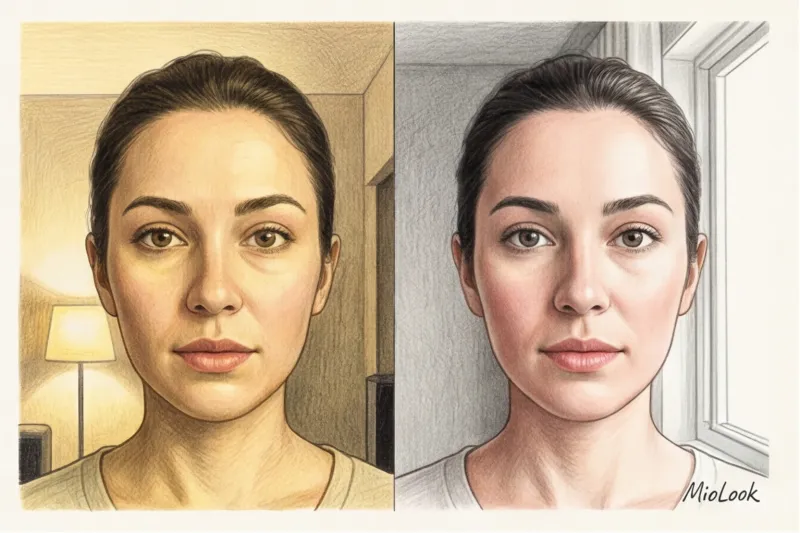
За 12 років практики колористом та імідж-консультантом я розібрала тисячі клієнтських фотографій. І знаєте, із чого починається 90% помилок у визначенні кольоротипу? З жовтої плитки у ванній кімнаті. Буквально минулого тижня до мене звернулася дівчина, абсолютно впевнена, що вона типова «Тепла Осінь». Вона завантажувала свої селфи в різні програми, і алгоритми стабільно видавали їй теракотові та гірчичні палітри. Але коли ми зустрілися особисто при денному світлі, переді мною виявилася класична холодна «Зима» з фарфоровою шкірою. Чому так сталося? Тому що камера її смартфона слухняно зафіксувала жовте світло ламп розжарювання, а алгоритм проаналізував саме ці пікселі.
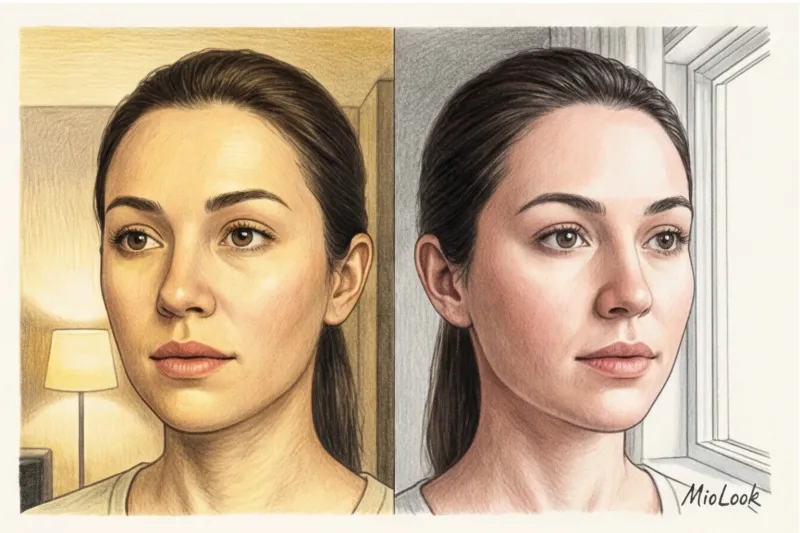
Якщо ви хочете дізнатися, як правильно сфотографуватися для нейромережі Вам доведеться на 10 хвилин забути про позування і подумати про фізику світла. Докладніше про те, чому алгоритми математично точніші за людське око, ми розповіли в нашому повному гіді: визначити колір зовнішності нейромережа зможе в MioLook. У цій статті ми розберемо технічну сторону: як камери смартфонів брешуть нам про наші пропорції та відтінки, і як видати ІІ-стилісту бездоганний вихідник.
Пікселі замість емоцій: чому нейромережа бачить нас інакше
Наш мозок - геніальний інструмент корекції кольору. Якщо ви зайдете в кімнату з синіми стінами або червоним абажуром, ваші очі за частки секунди адаптуються (спрацює так званий хроматичний баланс білого), і ви все одно сприйматимете білий аркуш паперу як білий. Матриця камери так не вміє. Вона просто фіксує сухі RGB-коди (пропорції червоного, зеленого та синього) тих світлових хвиль, які відбилися від вашого обличчя та потрапили до об'єктиву.
"Колір обманює нас постійно", - писав класик теорії кольору Джозеф Альберс у своїй фундаментальній книзі "Взаємодія кольору" (1963). І в епоху штучного інтелекту це правило працює обидві сторони.
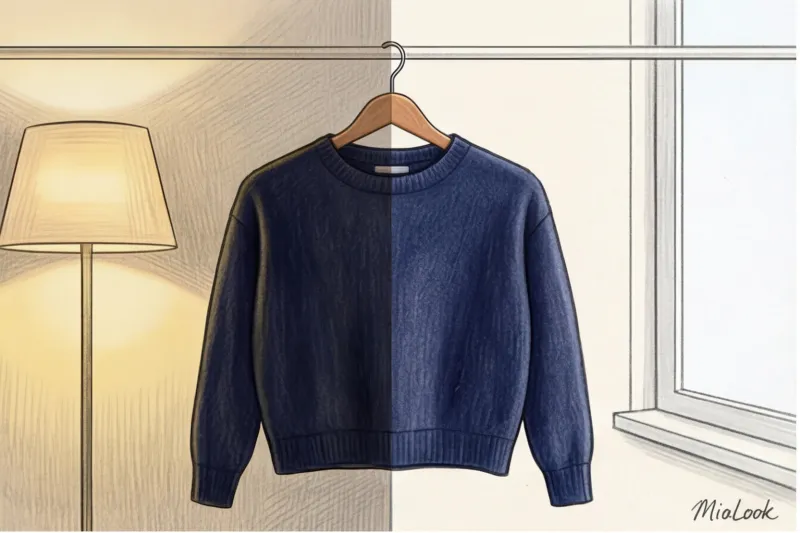
У колористиці є термін метамерія - Оптичне явище, при якому той самий колір виглядає зовсім по-різному під різними джерелами освітлення. Ваша шкіра буквально змінює свій фізичний відтінок для сенсора камери, залежно від лампочки над головою.
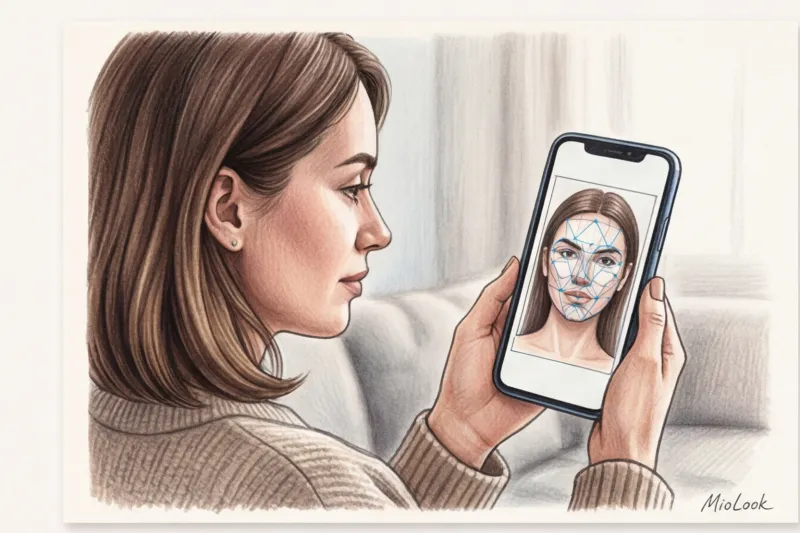
Головне правило роботи з будь-яким AI-стилістом - принцип GIGO (Garbage In, Garbage Out - "сміття на вході дає сміття на виході"). Нейросітка не додумує ваш реальний відтінок шкіри. Вона бере конкретні пікселі із завантаженої картинки. Видали їй жовте фото – отримайте гардероб для жовтої шкіри.
Висвітлення - головний бос: як не обдурити алгоритм
За даними PANTONE Color Institute, ідеальним еталоном для оцінки відтінків вважається світло D65, що відповідає денному світлу в похмурий день опівдні. У цифровому вираженні це колірна температура в діапазоні 5000-5500 Кельвінів. Будь-яке відхилення від цієї норми змусить алгоритм помилятися.
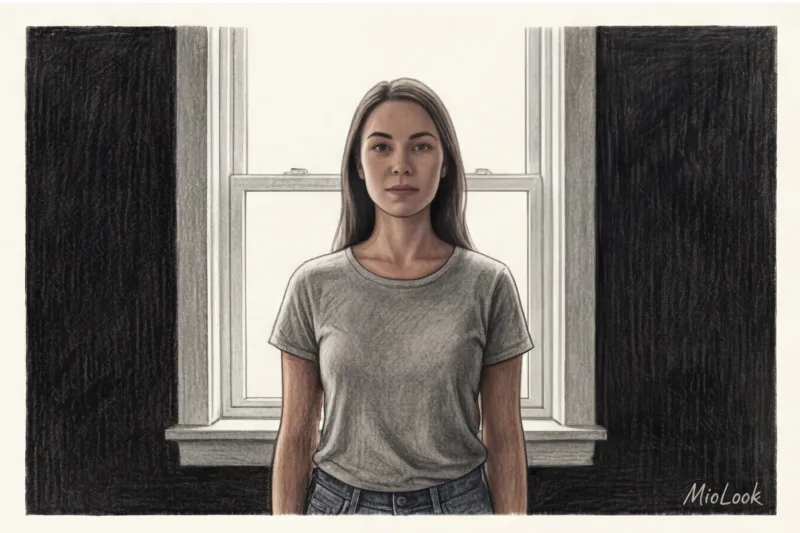
Ідеальне світло: розсіяне денне
Щоб ІІ точно вважав ваш рівень контрастності та підтон, вам потрібне м'яке, розсіяне денне світло. Ідеальний сценарій – підійти до північного вікна у похмуру погоду. Північна сторона дає рівне, нейтральне світло без домішки прямого жовтого сонця.
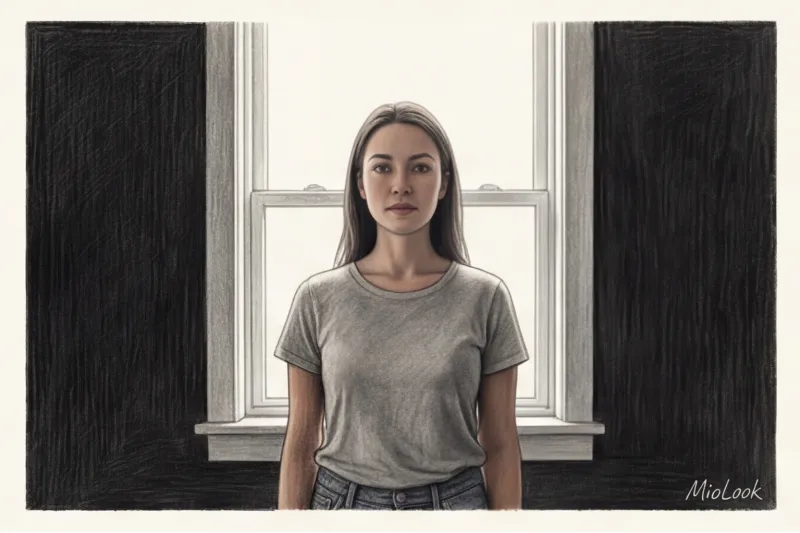
Встаньте обличчям прямо до вікна приблизно 0.5–1 метра. Світло повинне рівномірно заливати обличчя, не залишаючи жорстких тіней під носом чи очима. Уникайте прямих сонячних променів - вони працюють як прожектор: вибілюють опуклі частини обличчя, провалюють тіні в непроглядну чорноту і повністю знищують нюанси вашого природного колориту.
Ванна та кільцеві лампи: спонсори неправильних кольоротипів
А тепер про те, як робити категорично не можна. Лампи розжарювання у квартирах зазвичай мають температуру 2700–3000K. Це відверто жовто-жовтогаряче світло. Сфотографувавшись увечері у вітальні, ви штучно додасте своїй шкірі теплий персиковий підтон. Офісне люмінесцентне світло (близько 4000K із сильним зеленим спектром), навпаки, зробить вас землісто-сірою.
Але найбільший міф промисловості — це кільцеві лампи. Здавалося б, їх використовують усі б'юті-блогери! Однак для ІІ-аналізу кільцева лампа — найгірший ворог. Вона дає жорстке фронтальне світло, яке стирає природний рельєф обличчя, робить його плоским і залишає яскравий білий відблиск у зіницях. Через це алгоритм не може коректно обчислити ваш рівень контрастності (різницю між кольором шкіри, очей та волосся).
Доступ до MioLook за €0,99 — разовий платіж
Розумний AI-стиліст підбере ідеальний образ на основі правильного фото. Завантажте селфі та дізнайтесь свою палітру!
Відкрити доступ — €0,99 разовоСпотворення пропорцій: як правильно сфотографуватися для нейромережі
Коли справа доходить до аналізу фігури, у гру входить оптика. Усі сучасні смартфони оснащені ширококутними об'єктивами з фокусною відстанню 24–28 мм. У чому їхня проблема? Вони неминуче розтягують об'єкти, що знаходяться близько до лінзи, та звужують ті, що далі.
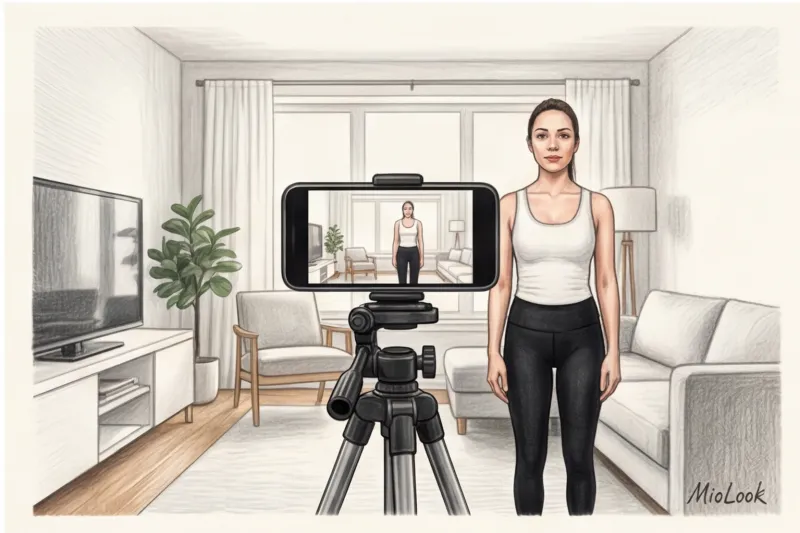
Якщо ви зробите селфі в дзеркалі на повний зріст, тримаючи телефон на рівні грудей і злегка нахиливши його, ви отримаєте: непропорційно велику голову, масивні плечі, витягнутий торс і короткі ноги, що звужуються донизу. ІІ проаналізує це фото і чесно підбере вам одяг для фігури «Перевернутий трикутник», хоча в житті ви можете бути класичним «Пісочним годинником».
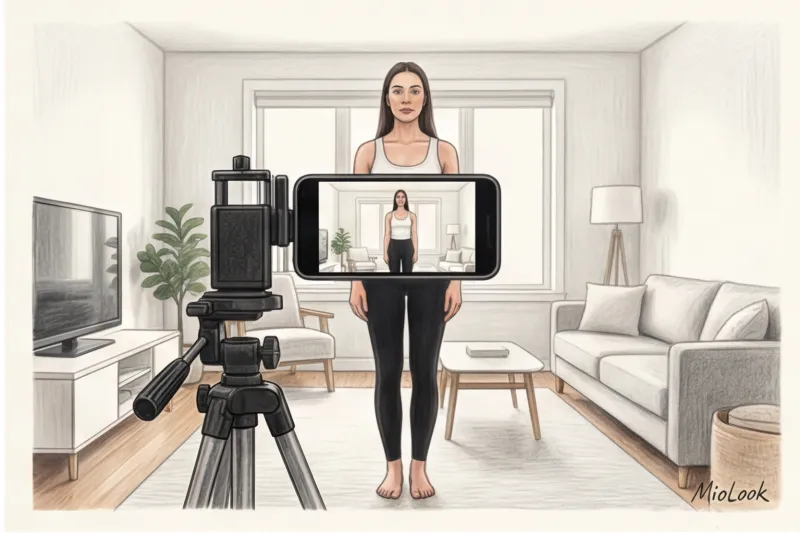
Як повернути природні пропорції:
- Правило 2-х метрів та зум 2x. Поставте телефон на штатив (звичайний настільний або підлоговий варіант за 15-20 € відмінно впорається із завданням). Відійдіть від камери на 2-2,5 метра. Щоб не здаватися піщинкою в кадрі, увімкніть на камері оптичний зум 2x (еквівалент 50 мм). Саме цю фокусну відстань фотографи називають портретною – вона передає пропорції тіла так, як їх бачить людське око.
- Висота об'єктиву. Телефон повинен бути строго на рівні вашого пупка або талії. У жодному разі не на рівні очей!
- Вертикаль. Закріпіть смартфон під кутом 90 градусів до підлоги. Будь-який нахил пристрою (навіть на 5 градусів) моментально спотворить довжину ваших ніг на фотографії.
Чесне обмеження: Це правило із зумом НЕ працює, якщо ви знімаєте ввечері при тьмяному світлі. При нестачі освітлення смартфон перейде з оптичного зуму на цифровий, пікселі «посипляться», картинка стане мильною, і нейромережа взагалі не зможе вважати контури вашої фігури.
Особа без фільтрів: підготовка до аналізу кольоротипу
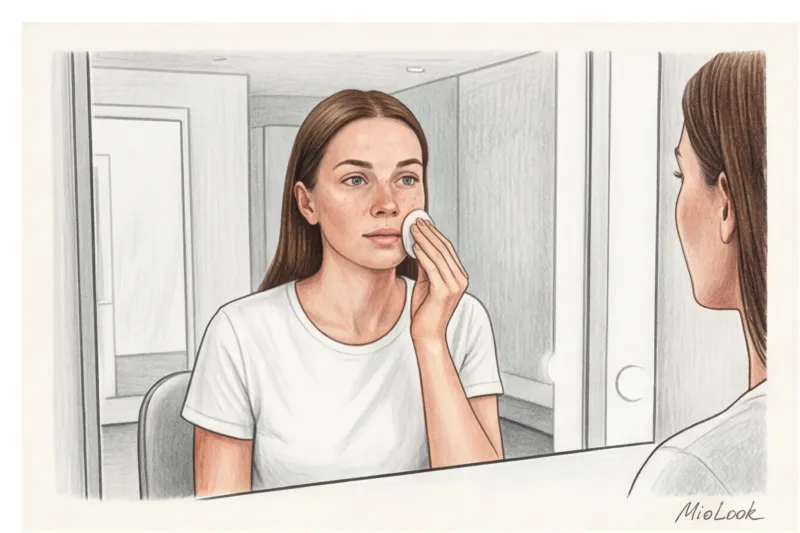
Для точного визначення колориту ІІ має бачити вашу природну фактуру. Будь-який макіяж - навіть найвагоміший BB-крем, крапля консилера під очі або відтінковий бальзам для губ - змінює пікселі. Перед зйомкою обов'язково вмийтеся.
Волосся необхідно прибрати в гладкий хвіст або пучок, особливо якщо воно пофарбоване. Ваш кольоротип закладений у генетиці шкіри та райдужці очей, а не в тому відтінку, який наніс перукар. Штучний колір волосся зб'є алгоритм з пантелику.
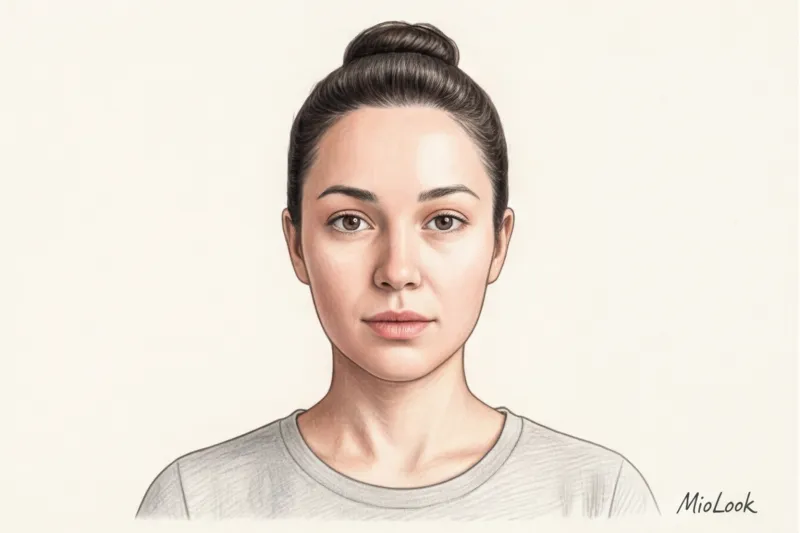
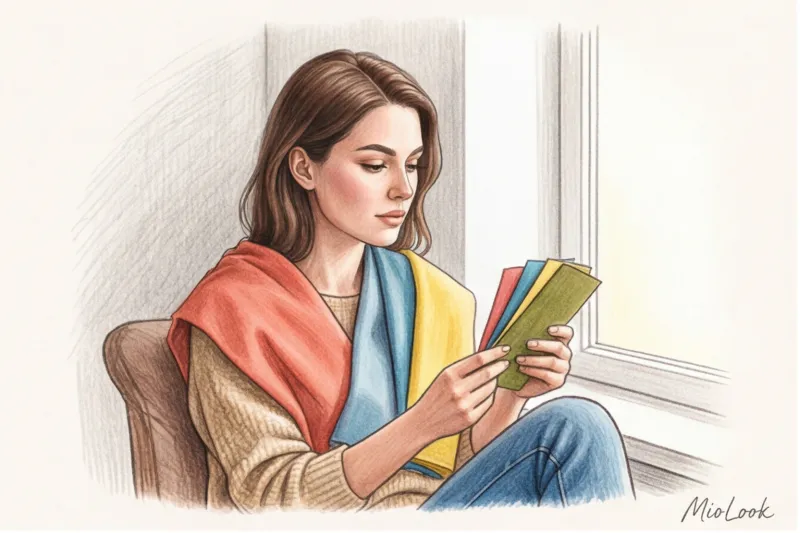
Але найпідступніше — це колірний рефлекс. Якось моя клієнтка надіслала фото без макіяжу, при ідеальному денному світлі, але у неоновій рожевій футболці. В результаті аналізу система видала холодний рожевий підтон шкіри. Чому? Яскрава тканина спрацювала як відбивач: світло вдарилося об футболку і відкинуло рожеву пляму прямо на лінію щелепи та підборіддя дівчини. Щоб цього уникнути, обов'язково надягніть нейтральну сіру, білу або кремову майку. В крайньому випадку просто накиньте на плечі білий рушник.
Ваш ідеальний образ починається тут
Приєднуйтесь до тисяч користувачів, які щодня виглядають бездоганно з інтелектуальними рекомендаціями MioLook.
Відкрити доступ — €0,99 разовоТіло в кадрі: як зняти фігуру для ідеального підбору одягу
Згідно з дослідженням технологічного агентства WGSN (2024), алгоритми віртуальної примірювальної помиляються у підборі фасонів у 40% випадків виключно через неправильну пози і мішкуватий одяг на користувальницьких фотографіях. Якщо ви стоїте в оверсайз-худі, ІІ не має рентгенівського зору, щоб здогадатися, де саме знаходиться ваша талія.
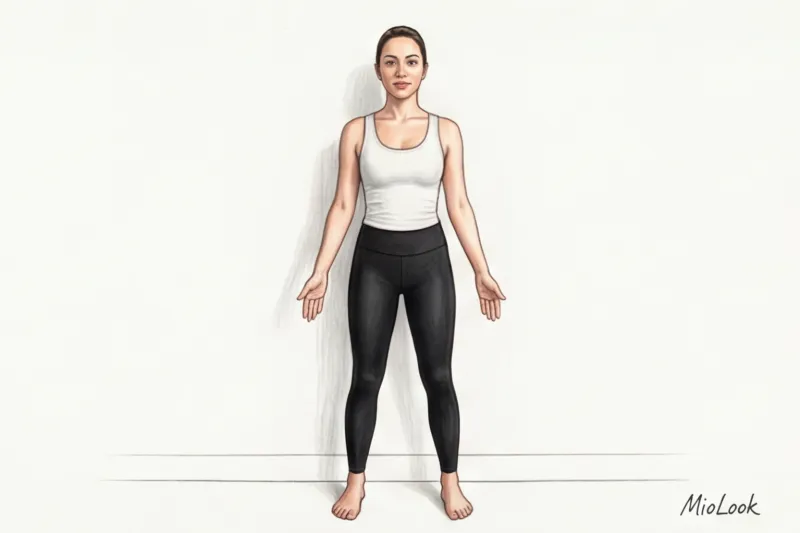
Як підготуватися до фото на фігуру:
- Одяг. Надягніть чорні або темно-сірі легінси, що облягають, і контрастний облягаючий топ (майку). Ваша форма має легко читатися.
- Поза "А". Встаньте прямо, п'яти разом, шкарпетки трохи нарізно. Руки опустіть уздовж тіла, але розслабте і обов'язково відведіть від стегон на пару сантиметрів. Між руками та талією має бути просвіт. Якщо ви притиснете руки до боків, ІІ зіллє їх з тулубом, і ви отримаєте неіснуючий зайвий об'єм на талії.
- Без позування. Не вставайте робочою стороною, не відключуйте стегно в стилі інстаграм-моделей і не втягуйте живіт до болю в ребрах. Програмі потрібний ваш справжній анатомічний каркас. Якщо ви втягнете живіт, ІІ порекомендує вам штани, в яких ви не зможете дихати після обіду.
- Фон. Знайдіть порожню і однотонну стіну в будинку (в ідеалі - без строкатих килимів, шаф і яскравих плінтусів). Чим контрастніше ви виділяєтеся на тлі, тим швидше і точніше нейромережа виріже ваш силует.
Чек-лист: 5 кроків до ідеального вихідника для MioLook
Давайте резюмуємо. Щоб отримати від ІІ-стиліста результат рівня преміальної консультації, виконайте ці 5 простих дій:
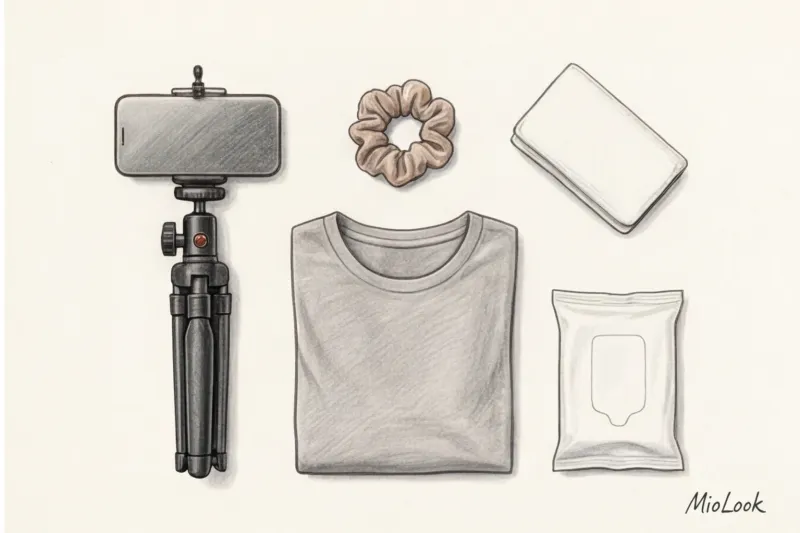
- Крок 1 Дочекайтеся світлого часу доби (бажано легкої хмарності) та підійдіть до вікна. Ніяких темних кімнат та кільцевих ламп.
- Крок 2. Змийте макіяж, зберіть волосся назад гумкою і одягніть базовий одяг, що облягає (або накиньте на плечі нейтральний білий рушник, якщо знімаєте тільки обличчя).
- Крок 3 Встановіть телефон на рівні живота (для фігури) або на рівні очей (для портрета), строго вертикально.
- Крок 4. Відійдіть на 2 метри від смартфона та увімкніть двократний зум (2x), щоб уникнути ефекту «рибячого ока».
- Крок 5. Найважливіше — зайдіть в налаштування камери і примусово відключіть усі б'юті-фільтри, згладжування шкіри та покращування обличчя.
Правильне вихідне фото – це 99% успіху роботи зі штучним інтелектом у сфері стилю. Витративши всього 10 хвилин на створення технічно грамотного кадру без спотворень, ви назавжди позбавите себе мук вибору і отримаєте гардероб, який працюватиме на вашу зовнішність, а не сперечатися з нею.
Чи готові почати?
Завантажте своє ідеальне фото в MioLook та отримайте персональну капсулу одягу, яка підкреслить ваші переваги.
Відкрити доступ — €0,99 разово